
How to manage product variants on Shopify is a question that many merchants ask. Product variants are one of the most overlooked reasons Shopify stores struggle with operational chaos. Baymard Institute reports that nearly 70% of online carts are abandoned, and a poor product selection experience is a major contributor.
If customers feel confused while choosing options, they simply leave. One product turns into dozens of combinations, and suddenly, your store feels messy. This is where clarity matters more than scale, and where most merchants silently lose revenue. In today’s article, we will help you avoid that with a smart Shopify solution.
- Product variants can create confusion and lead to cart abandonment if not structured properly.
- Shopify’s default variant system struggles with complexity as product options scale.
- Poorly managed variants cause decision fatigue, mobile friction, and operational inefficiencies.
- Apps like MultiVariants simplify selection using grid layouts and faster bulk ordering.
- Optimized variants improve conversions, increase order value, and enhance user experience.
Table of Contents
What are Product Variants in Shopify
Product variants are different versions of a single product, such as size, color, or style, that customers can choose before purchasing. In Shopify, variants often determine how smoothly a customer completes their purchase journey.
When product variants are not structured properly, customers face friction. Dropdown overload, slow selection, and confusion all lead to abandoned carts. The variants should simplify decision-making, not complicate it. This is why how to manage product variants on Shopify is something every merchant should learn to stay relevant in the marketplace.
We worked with a clothing store where customers struggled to choose sizes and colors together. Once product variants were reorganized into a cleaner structure, sales improved noticeably within weeks.
Why Shopify Product Variants Become Unmanageable at Scale
Product variants start simple inside Shopify, but the system is not designed for complexity. It relies heavily on dropdown-based selection and rigid structures. These work for small catalogs but break down as product options increase.
This is when every merchant asks how to manage product variants on Shopify. The variants become difficult to manage when a single product includes multiple attributes like size, color, material, and quantity. The default setup forces customers to click repeatedly and mentally track combinations. This slows down decision-making and increases drop-offs.
At scale, Shopify product variants also create backend limitations. Merchants struggle with bulk editing, variant visibility, and inventory tracking across combinations. What appears simple during setup can create operational friction during daily sales.
This is where most stores silently lose conversions. Customers do not complain. They simply abandon the purchase.
What Happens When Product Variants are not Optimized
Product variants create real business problems when they are poorly structured. Here are the issues they face when thinking of how to manage product variants on Shopify.
- Decision fatigue: Too many dropdowns make selection feel like work instead of shopping.
- Mobile users struggle: Small screens make Shopify product variants harder to navigate, increasing frustration and abandonment rates.
- Operations slowing down: Store teams spend unnecessary time fixing variant errors, mismatched pricing, and inventory confusion.
This is not just a design issue. It is a structural limitation of how Shopify product variants are handled natively.
How to Manage Product Variants on Shopify with MultiVariants
This is where a Shopify product variant app becomes essential rather than optional. MultiVariants is such an app that helps boost productivity and bulk sales.
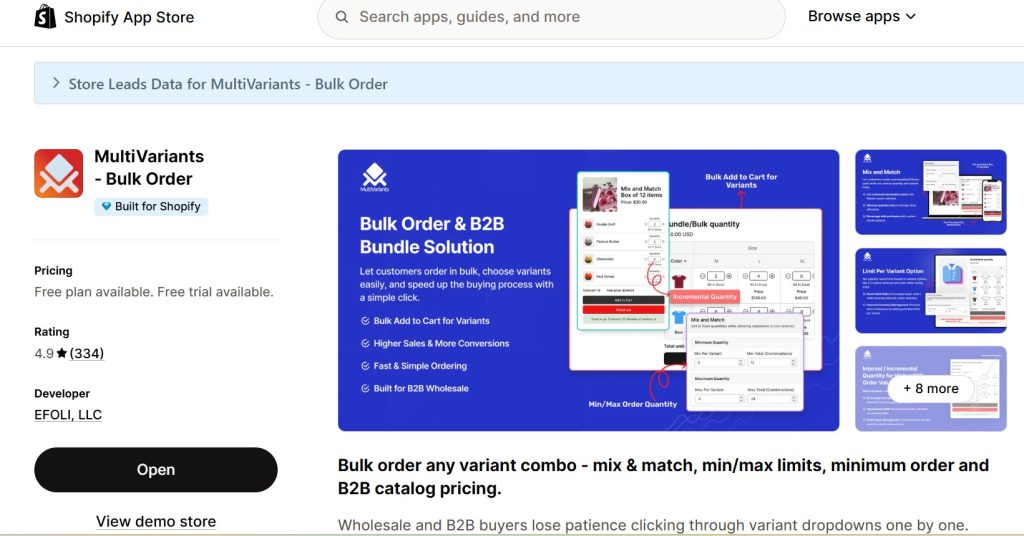
Product variants become structured, visual, and fast when managed through MultiVariants. Instead of a dropdown-based selection, customers interact with a grid or matrix layout that allows multiple selections in a single view.
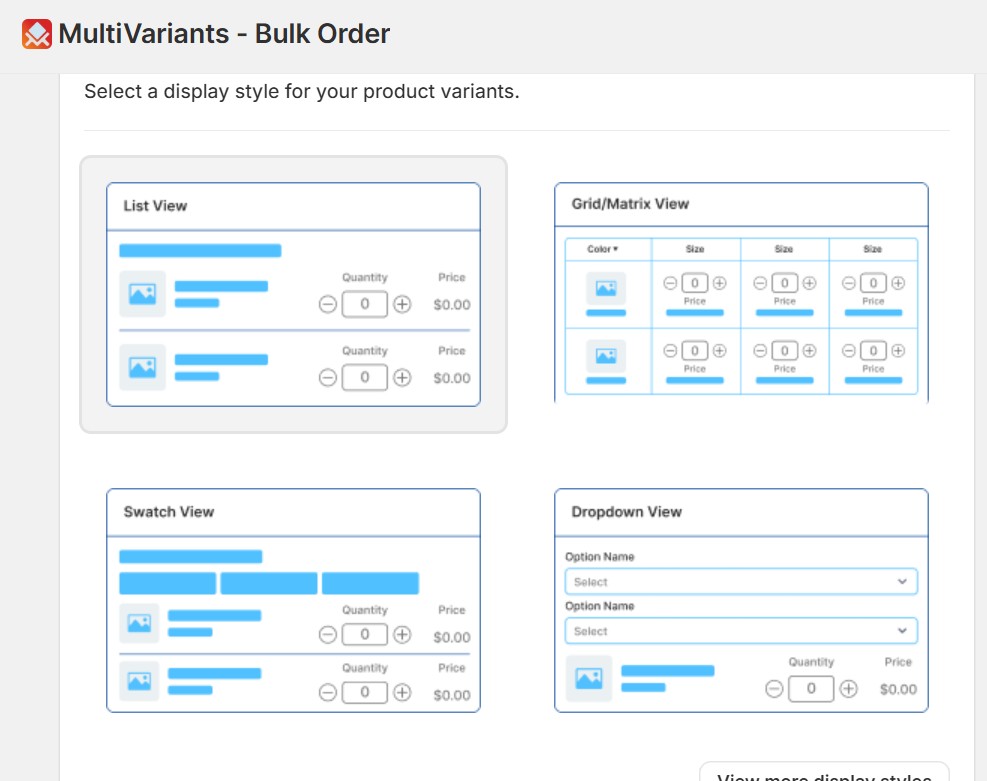
Shopify product variants handled with the app reduce decision time significantly. Customers can choose sizes, colors, and quantities without repeating steps or losing track of combinations.
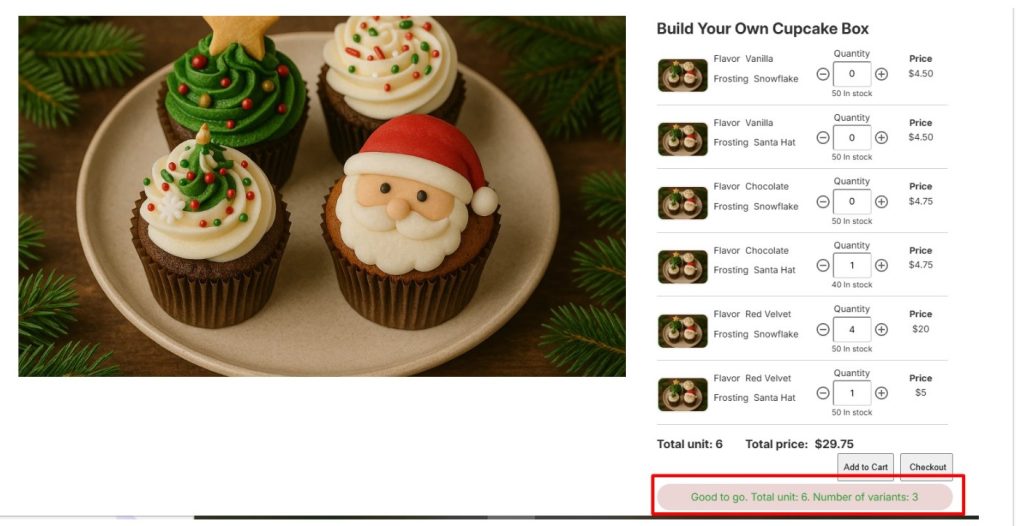
For example, a wholesale apparel store can display all product variants in one table view. Buyers select everything in a single flow, which dramatically improves ordering speed and reduces cart abandonment.
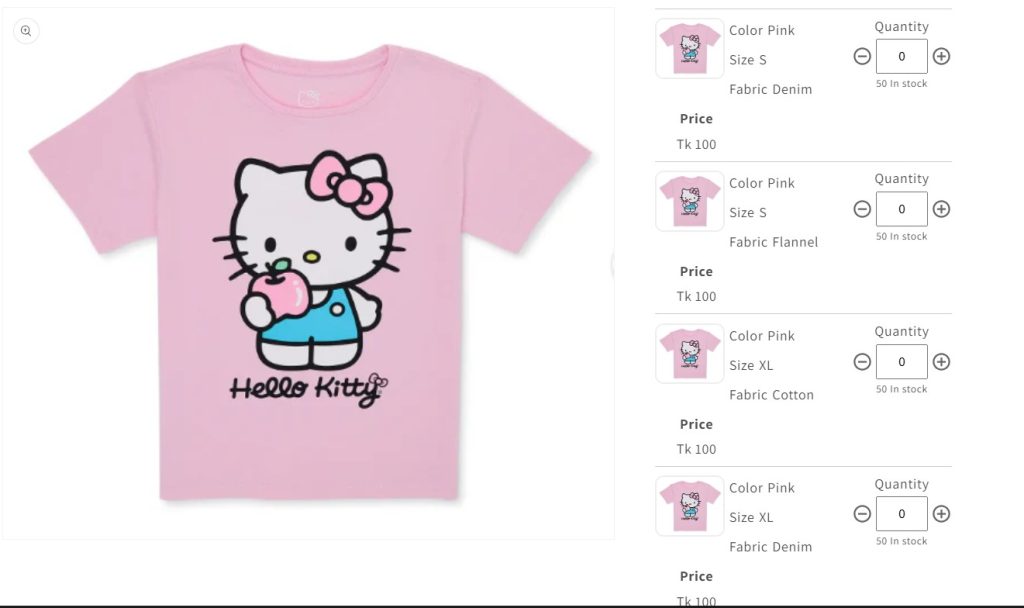
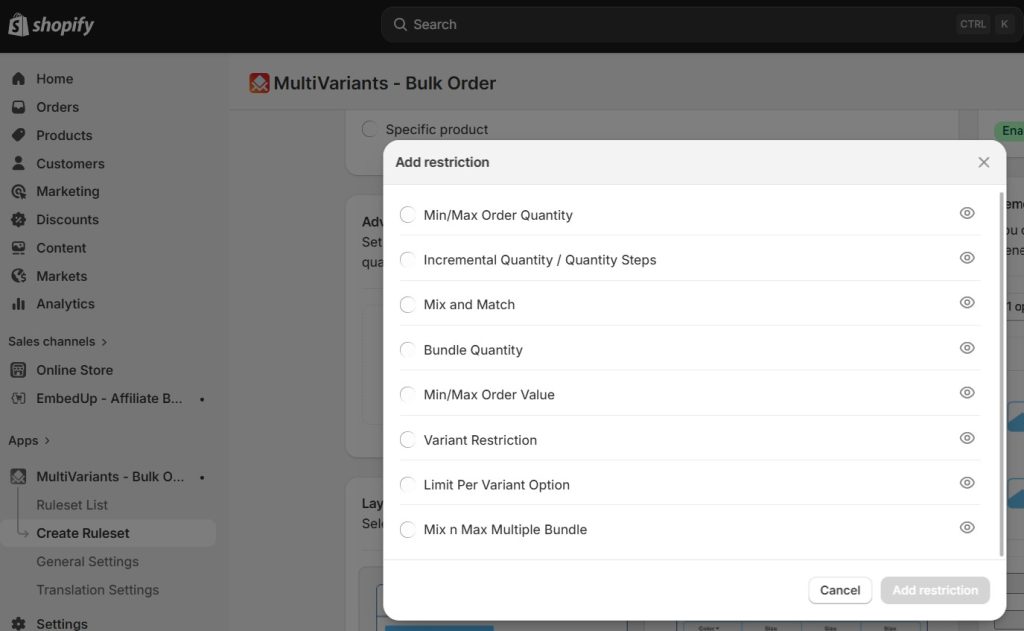
MultiVariants removes the limitations of Shopify product variants by replacing rigid selection with structured ordering. Their advanced restriction options help manage a large collection of variants and help you manage inventory.
Now you know how to manage product variants on Shopify easily with MultiVariants. Here are the top 10 best Shopify product variants apps to help you further.
How Do Optimized Product Variants Impact Revenue
Product variants directly influence how quickly customers move from browsing to checkout. Faster decisions usually result in higher conversion rates. When you learn how to manage product variants on Shopify, you automatically improve your revenue.
Shopify product variants that are easy to navigate reduce hesitation and improve buying confidence. Baymard Institute reports that improving user experience and checkout design can increase conversion rates by up to 35.26%.
When Shopify product variants are optimized, customers explore more combinations, which naturally increases AOV and overall revenue.
How Should You Audit Your Product Variants System
Product variants should be regularly reviewed to ensure they still match customer behavior and product growth.
Start by identifying Shopify product variants that cause confusion or generate support queries. These are usually the biggest friction points in the buying journey.
Then simplify Shopify product variants by removing unnecessary options and grouping similar attributes. Simplicity consistently performs better than complexity.
Final Thoughts
When you solve the question of how to manage product variants on Shopify, consider getting yourself getting ahead of many competitors. Product variants are not just a technical setup inside Shopify. They are a core part of the customer experience that directly affects sales and satisfaction.
If your Shopify product variants feel chaotic, the issue is not your products but the structure behind them. Fixing that structure can instantly improve clarity and performance. And using a Shopify variant app, fixing the structure becomes a lot faster and easier. Focus on simplifying decisions, reducing friction, and improving speed at every step of your product variant design.
FAQs
What are product variants in Shopify?
Product variants are different options, such as size, color, or style that customers select before purchasing.
How do Shopify product variants affect sales?
Shopify product variants affect how easily customers can make decisions, which directly impacts conversion rates.
Why do product variants become confusing?
Product variants become confusing when too many options are added without proper structure or grouping.
What is the best way to organize Shopify product variants?
The best approach is to simplify choices, use visual layouts, and reduce unnecessary complexity.
Can a product variant app improve performance?
Yes, a product variant app like MultiVariants can improve speed, clarity, and overall buying experience.
Are Shopify product variants limited?
Yes, Shopify product variants have structural limitations that make scaling complex catalogs challenging.
Who benefits most from optimizing product variants?
Stores with multiple product options, wholesale buyers, or customizable products benefit the most.