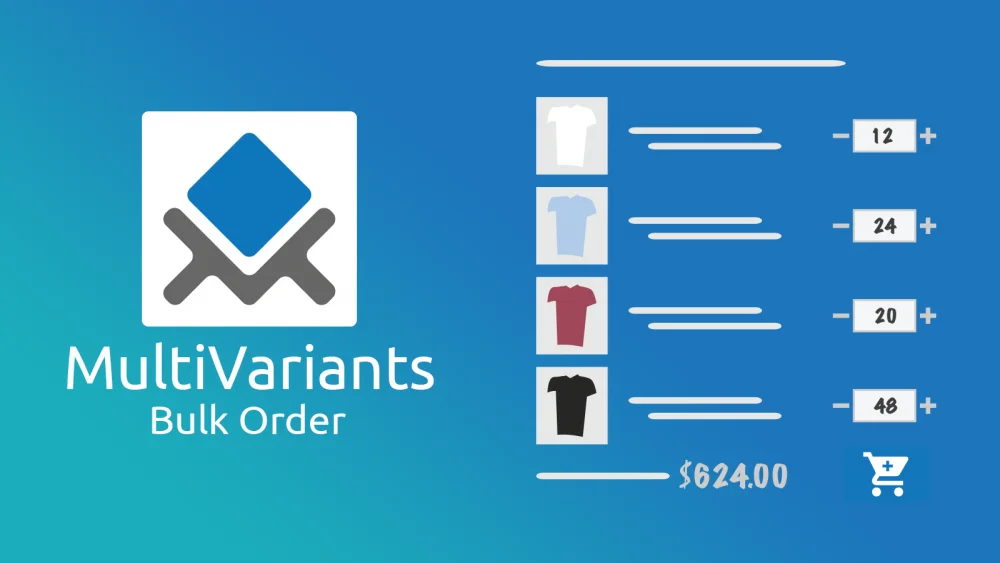
To enable bulk product ordering on Shopify, you’ll need to install a third-party app since Shopify’s default theme only allows customers to add one product at a time. Bulk order apps like MultiVariants add features like quantity grids, variant selectors, and quick order forms. These let customers order multiple products or SKUs in a single action. It is essential for wholesale buyers and B2B customers.
In this guide, we’ll show you how to set up bulk ordering, which apps work best for different business models, and how to optimize the experience for customers who regularly place large orders.
MultiVariants – An Easy Bulk Order Application For Your Customers
Customers worldwide suffer immensely with bulk product ordering as they have to select the product variants and quantities one at a time. For instance, Elizabeth is throwing a brand celebration office party. So, she wants to order t-shirts from your store for a group of 100 people. She wants the t-shirts in 4 different sizes, 4 different colors, and 2 different designs. So, she wants to place the bulk order by combining SIZE-COLOR-DESIGN from your stock.
In the order, the total combinations are 4x4x2=32. So, imagine how many times Elizabeth has to click to choose the combination of 4 variants in your present ordering system. Yes, it’s 32 times!!! It certainly is a terrible experience for her. It’s time-consuming, irritating, and slows down the order process, which leads to a decrease in sales, no doubt.
At this point, MultiVariants ‑ BFS Bulk Order app takes the stage. It offers your customers bulk orders and lets them select multiple variants and quantities of the same product easily in just one click. MultiVariants is available on the Shopify platform.
Why Do You Need To Install MultiVariants – Bulk Product Order Into Your Store?
- Customers spend a lot of time ordering multi-variant products on a store product page. So the Bulk Order app can help them with the ordering method.
- When multiple-variant products are displayed on the product page, it can influence shoppers, and the chance of increases in sales is high
- It allows customers to select product variants and quantities at the same time, so it saves a lot of time
- A smooth bulk ordering process will make the customers happy, and happy customers lead to an increase in sales
MultiVariants ‑ Bulk Order: How It Works?
As an eCommerce store owner, you’re selling multiple variant products or maybe in bulk or wholesale. But your ordering process slows down your sales, which is a downside for your business.
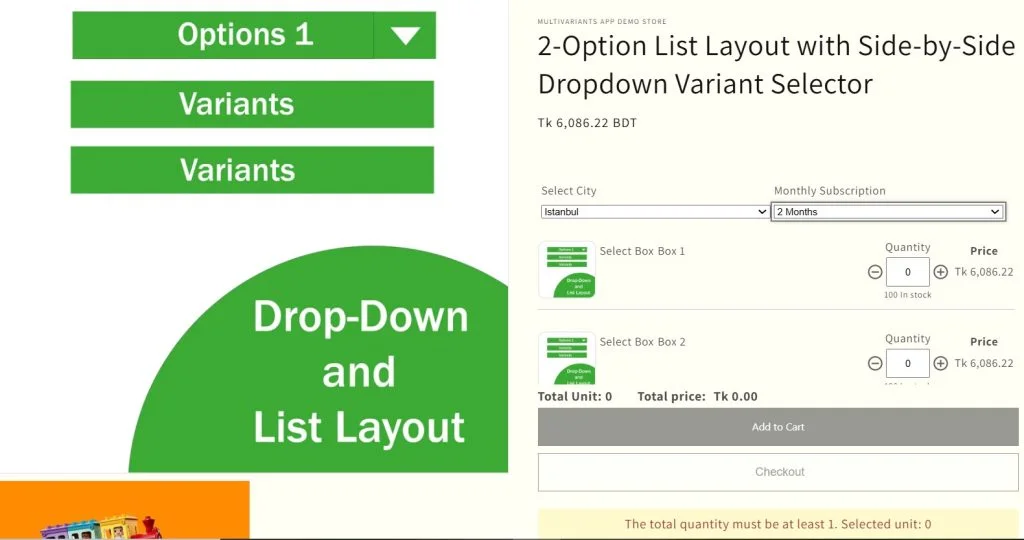
You already have the default variants dropdown in your system. Integrating MultiVariant into your online store lets you turn your dropdown into a variant list table along with a quantity input box. So, it becomes easier for your customers to select multiple product variants and quantities at the same time. Enabling bulk orders also allows a one-click add to the shopping cart option.
How Does Bulk Order Increase Your Sales?
An easy and smooth shopping experience makes the customers happy, which undoubtedly will lead to an increase in sales in your business.
To further amplify sales from bulk purchases, many merchants also implement tiered discount strategies for Shopify. These allow customers to unlock better pricing as they increase their order quantities. It is a perfect match for stores offering multi-variant products and wholesale ordering.
You can effortlessly turn Elizabeth into a satisfied customer by providing her with an easy and smooth product ordering experience.
MultiVariants – Bulk Order app converts your existing product variants into a list view where all the combinations are displayed with the quantity-selecting fields. Now, Elizabeth goes to your product page, and she can quickly enter the required quantity number of the t-shirts right next to the variant list. It also allows her a single click add to cart button.
MultiVariants offers:
- Easy installation and Bulk orders will be active in your online store
- Quantity box along with variant combinations for bulk order
- Settings for variants unit/total price, available stock quantity, icons, Out of Stock including image badge
- A single-click add-to-the-cart
- It’s available with a free plan as well.
Final Thoughts
With MultiVariants – Bulk Order, your B2B, and retail customers can access your product variants and quantity at the same time on the product page. It’s a perfect application for wholesale customers. It also enables a faster checkout process by providing a one-click add-to-cart option on the store.
Bulk Product Order: FAQ
Does Shopify have built-in bulk ordering?
No, Shopify’s default setup only allows customers to add one product variant at a time. You’ll need a third-party app to enable bulk ordering features like quantity grids, variant tables, or quick order forms that B2B customers expect.
What’s the difference between bulk ordering and wholesale pricing?
Bulk ordering refers to the ability to add multiple products or quantities in one action, while wholesale pricing is discounted rates for specific customer groups. You can have bulk ordering without wholesale pricing, but most B2B stores use both together for efficiency.
Can customers still place regular orders if I add bulk ordering?
Yes! With MultiVariants, you can enable or disable Shopify’s default add to cart button.
Do bulk order apps work with all Shopify themes?
Most bulk order apps work with standard themes, but compatibility varies by app architecture. Apps with Shopify’s “Built for Shopify” badge (like Multivariants) meet strict performance and compatibility standards, which means they’re tested to work reliably across all themes. If you’re using a custom or heavily modified theme, check the app’s compatibility documentation or contact support before installing.