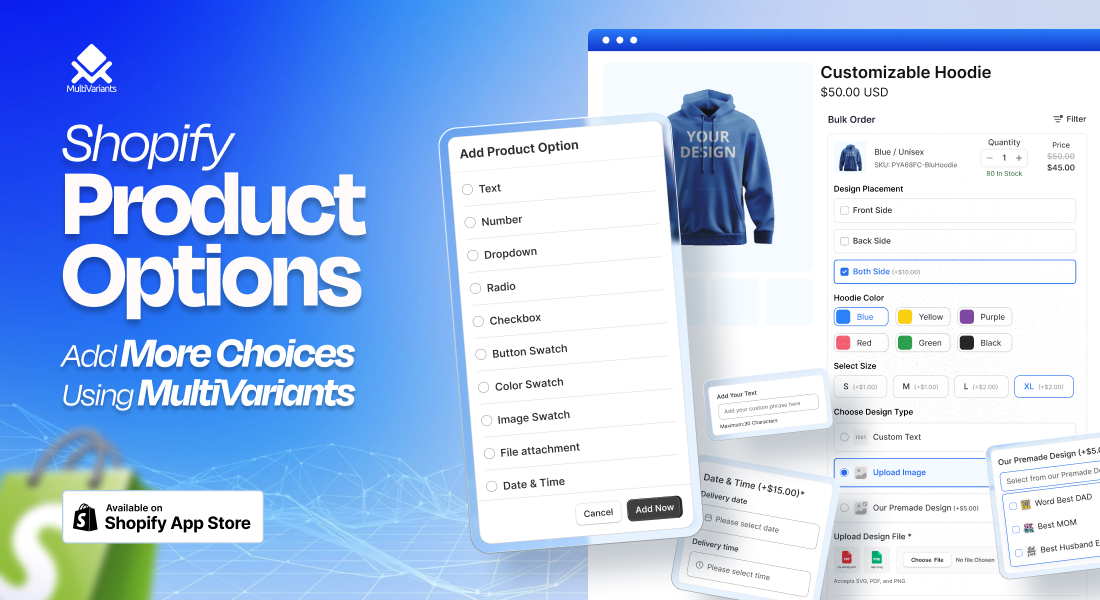
Shopify product options help merchants offer different choices on a product page. These choices can be simple, like size, color, or fabric. They can also be more advanced, like custom text, swatches, file uploads, or special add-ons.
But there is one common problem.
Shopify allows each product to have up to three product options by default. For example, a product can have size, color, and material. But if a merchant wants to add more choices, Shopify’s native setup becomes limited. Shopify currently documents that a product can have up to three options and up to 2,048 variants.
This is where MultiVariants Product Options helps.
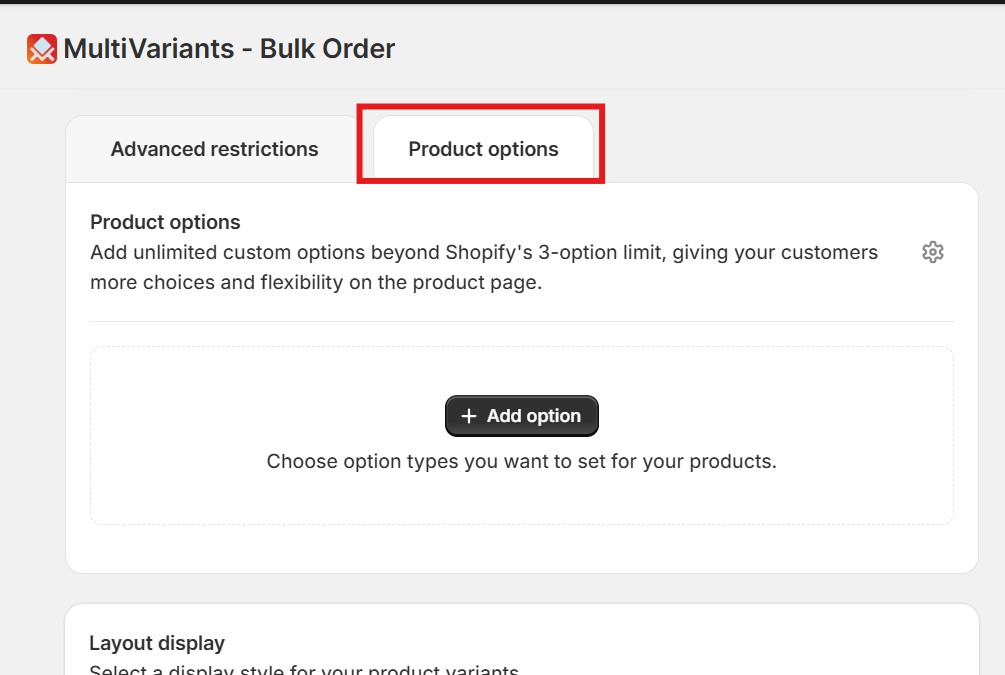
With the new Product Options feature in MultiVariants, Shopify merchants can add unlimited custom options beyond Shopify’s 3-option limit. It gives customers more choices and creates a better product selection experience on the product page.
With MultiVariants, there is:
- No more forcing all product choices into only three options.
- No more complicated workarounds.
- No more relying on multiple disconnected tools when merchants need both custom product options and advanced variant-based ordering control.
Let us explore how MultiVariants Product Options solves this problem for Shopify merchants.
- Shopify product options help merchants offer choices like text, swatches, file uploads, and date/time fields on product pages.
- Shopify’s native setup allows only three product options, which can limit custom, B2B, and complex product setups.
- MultiVariants Product Options helps merchants add custom options beyond Shopify’s 3-option limit for more flexible product selection.
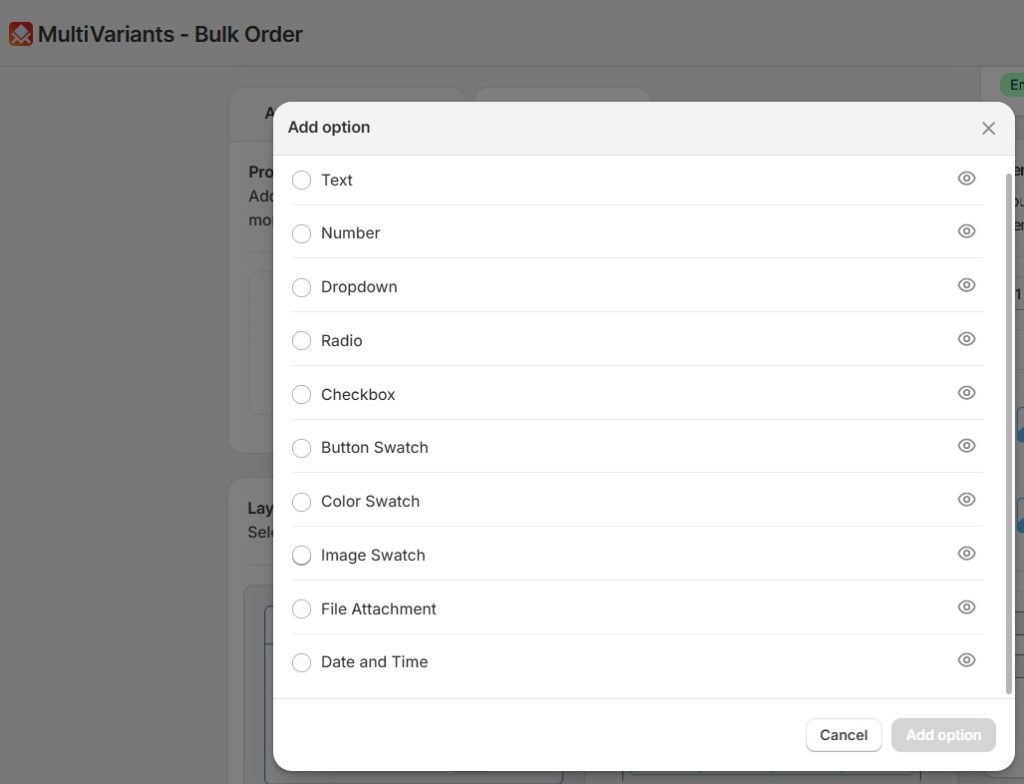
- Merchants can use text, number, dropdown, radio, checkbox, button swatch, color swatch, image swatch, file attachment, and date/time options.
- MultiVariants combines product options with variant display, bulk ordering, quantity rules, and B2B-friendly purchase control.
Table of Contents
What Are Shopify Product Options?
Shopify product options are the choices customers select before buying a product.
For example:
- A t-shirt may have size, color, and fabric.
- A cake may have flavor, size, and message.
- A custom gift box may have box type, ribbon color, gift note, and delivery date.
- A print product may need size, paper type, frame color, uploaded design, and special instructions.
In Shopify, these options are often connected to variants. A variant is one final version of a product based on selected options. Shopify explains that each combination of product options becomes a product variant.
This works well for simple products.
But it becomes difficult when a product needs more than three options.
That is why many merchants search for a Shopify product options app. They need more flexibility than Shopify’s default option system can provide.
Why Shopify’s 3-Option Limit Creates Problems for Merchants
Shopify is powerful, but its native product option structure is not always enough for complex products.
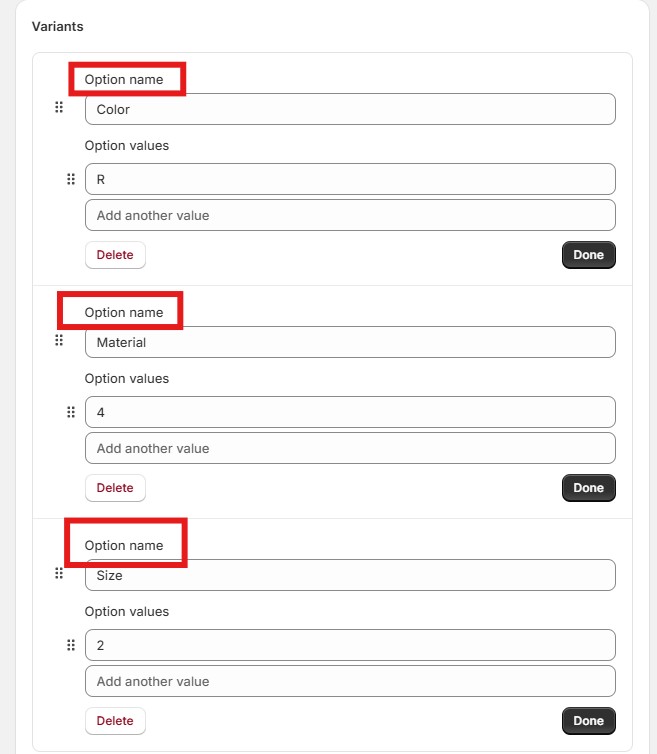
By default, merchants can only add up to three options per product. For example:
- Color
- Size
- Fabric
Shopify Default Option Limited to 3 Only
But many Shopify stores need more than that.
- A clothing brand may need size, color, fabric, sleeve type, neckline, fit, and custom measurements.
- A bakery may need cake size, flavor, frosting, message text, delivery date, and image upload.
- A print shop may need paper size, paper type, finish, print side, file upload, and special notes.
- A gift store may need product style, wrapping option, card message, ribbon color, delivery date, and sender name.
In these cases, the Shopify 3 option limit can create real problems.
Merchants either have to reduce product choices, create too many separate products, or use a third-party app to handle Shopify custom product options.
Common Pain Points Before MultiVariants Product Options
Before this feature, Shopify merchants often faced several problems when they wanted to offer more product choices.
| Merchant Challenge | What Happened Before | Business Impact |
| Shopify allowed only three product options | Merchants could not add all required choices under one product | Product setup became limited |
| Too many variants were hard to manage | Merchants had to create many variant combinations manually | Admin work increased |
| Custom product details were difficult to collect | Customers could not easily enter text, numbers, dates, or special instructions | Orders lacked important details |
| Visual selection was harder to manage with advanced buying rules | Merchants often needed custom options, swatches, and variant-based order controls to work together | Storefront setup became harder to manage |
| Personalized products were harder to sell | Customers could not upload files or add custom inputs easily | Custom order flow became confusing |
| Multiple tools were often needed for complex product setups | Merchants sometimes had to combine product option tools with separate bulk order or quantity rule tools | Store setup could become heavy and harder to maintain |
These issues can hurt the customer experience.
When customers cannot choose the exact product they want, they may leave the product page. When the product setup is confusing, merchants also spend more time fixing orders manually.
MultiVariants Product Options helps solve this gap.
MultiVariants Product Options: A Smarter Way to Add More Choices
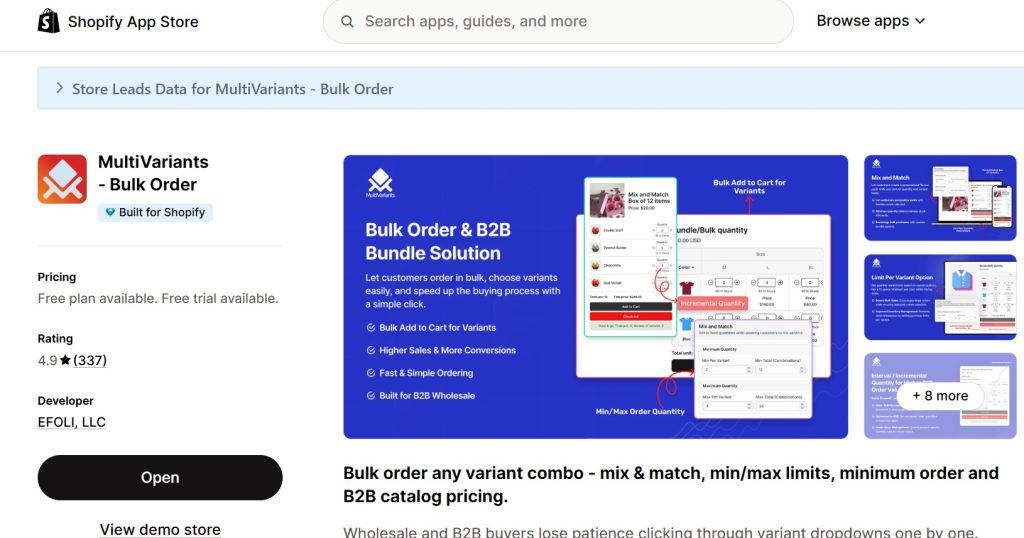
MultiVariants, one of the top Shopify product variant apps, now allows merchants to add unlimited custom options beyond Shopify’s 3-option limit. This means merchants can offer more product choices directly on the product page.
The feature supports different option types, such as:
- Text
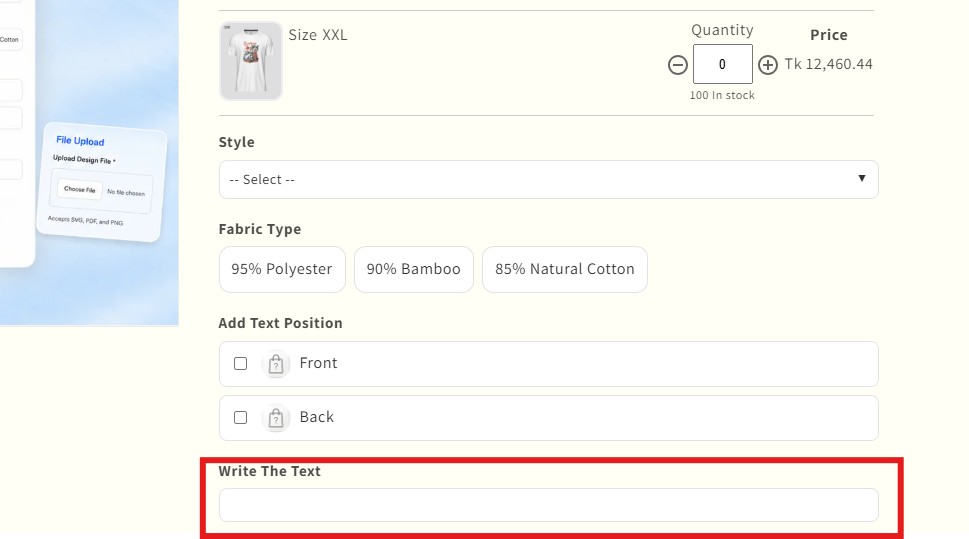
- Number
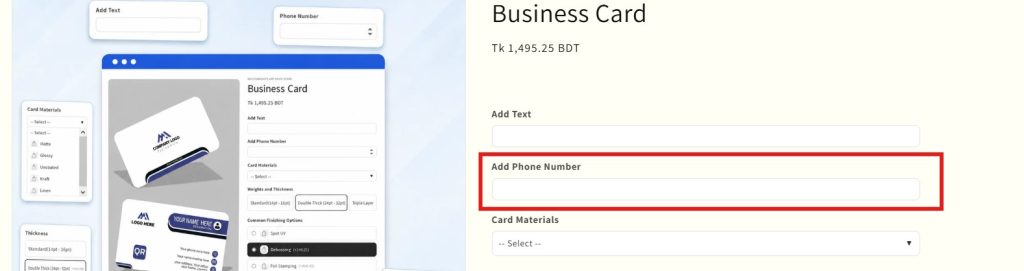
- Dropdown
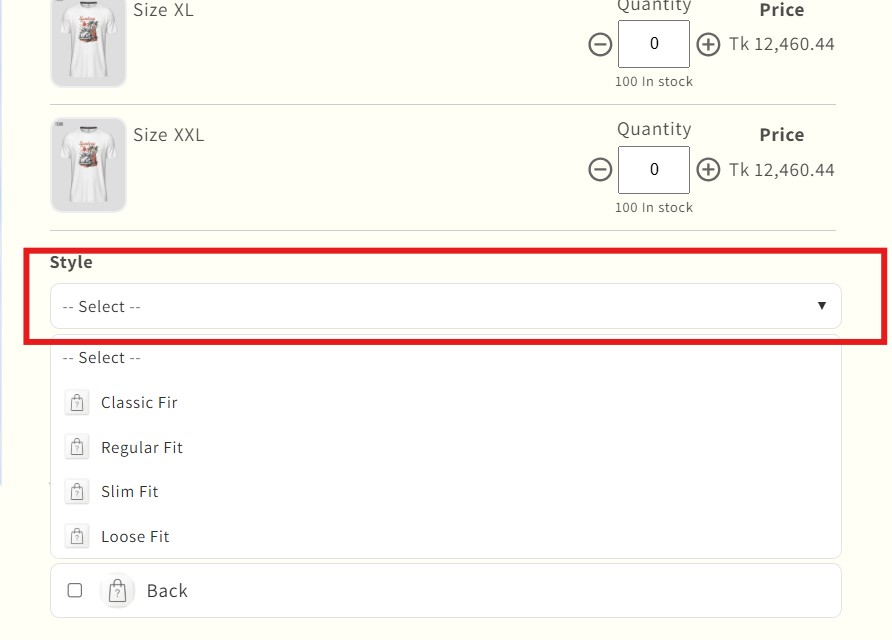
- Radio
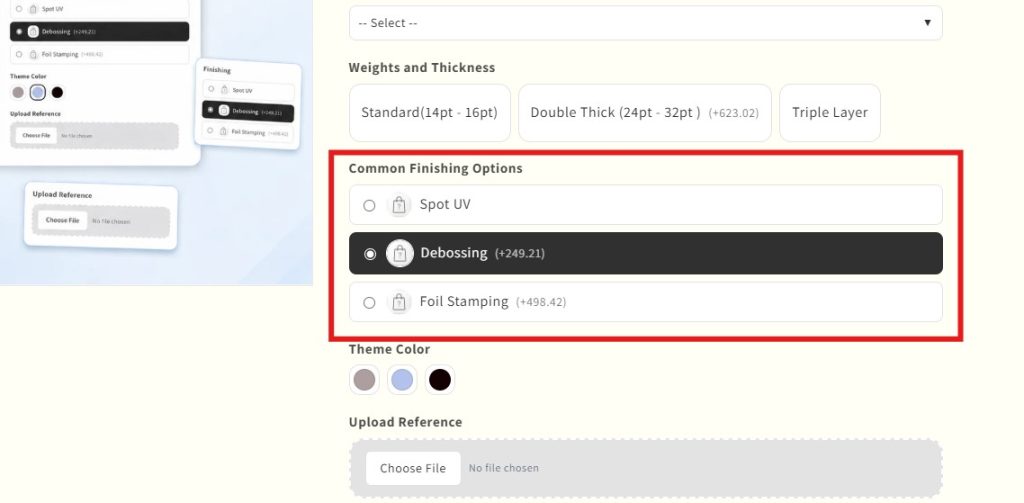
- Checkbox
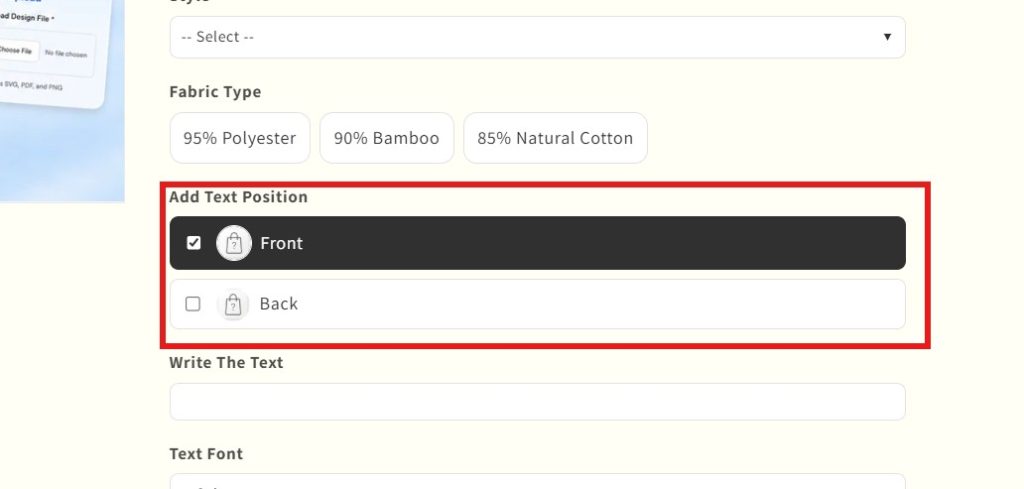
- Button Swatch
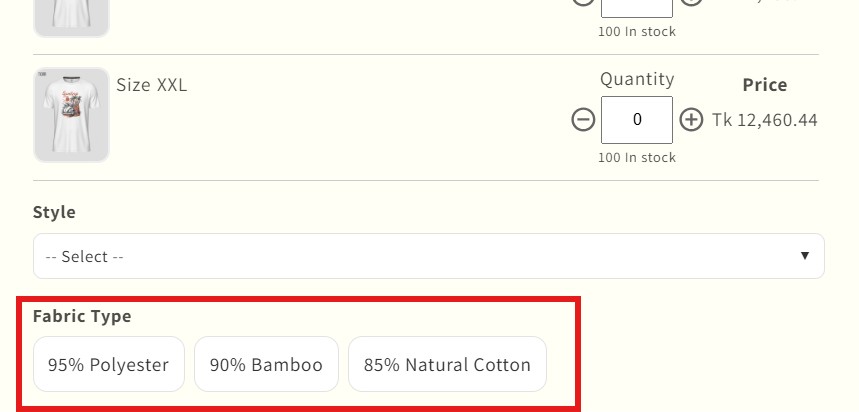
- Color Swatch
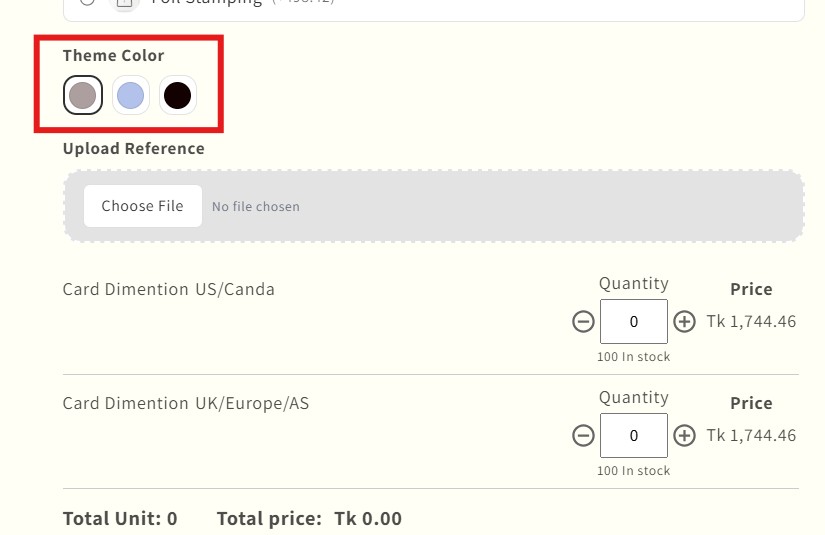
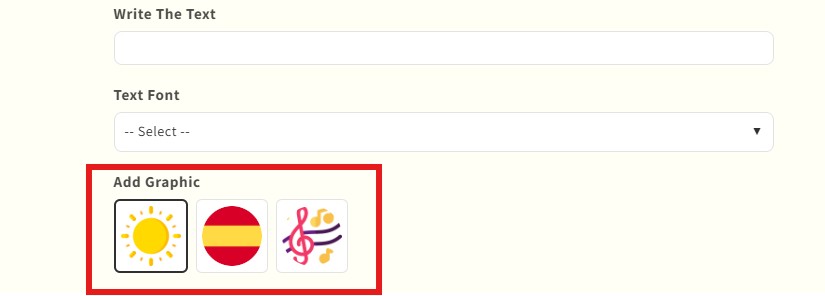
- Image Swatch
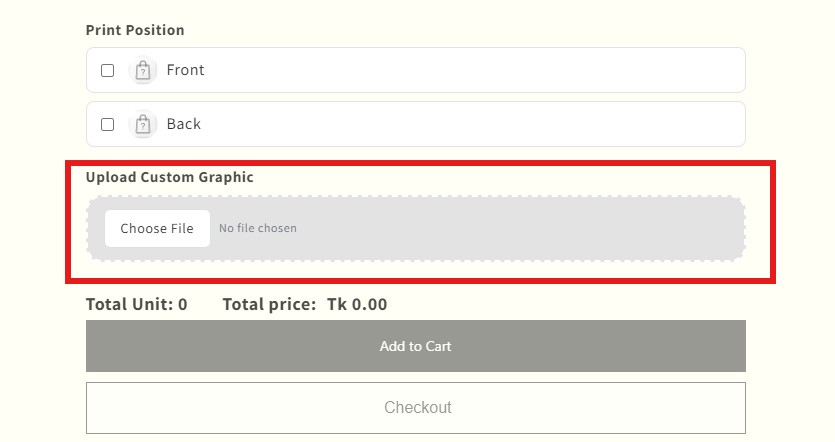
- File Attachment
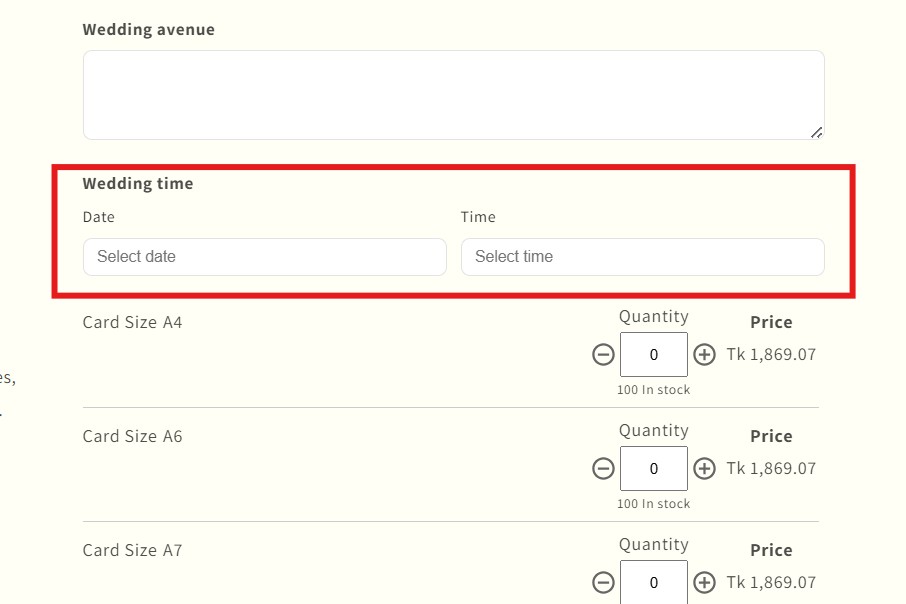
- Date and Time
This gives merchants more control over how customers select or customize a product.
For example, a merchant can use:
- Text field for engraving names
- Number field for custom quantity or measurement
- Dropdown for selecting a package type
- Radio buttons for simple single-choice options
- Checkboxes for extra add-ons
- Button swatch for size or style selection
- Color swatch for color choices
- Image swatch for pattern, design, or product style
- File attachment for uploading logos, images, or artwork
- Date and time field for delivery, appointment, or event-based products
This makes MultiVariants a powerful choice as a wholesale b2b app. The feature helps merchants combine custom product inputs with MultiVariants’ existing variant display, bulk ordering, quantity rules, and B2B-friendly purchase control.
How MultiVariants Product Options Benefits Shopify Merchants
1. Add More Than 3 Options on Shopify
The biggest benefit is simple: Merchants can add more than 3 options on Shopify.
Instead of being limited to only size, color, and material, merchants can add extra fields based on their product needs.
This is helpful for products that require personalization, configuration, or special customer input.
For example, a merchant selling custom uniforms can collect:
- Size
- Color
- Fabric
- Logo upload
- Name text
- Number text
- Sleeve type
- Delivery date
Without Product Options, this setup would be difficult with Shopify’s native option limit.
With MultiVariants, merchants can manage these choices more easily.
2. Improve Product Customization
Shopify product customization is important for many stores.
Customers often want products that feel personal. They may want to add names, upload files, choose colors, select add-ons, or leave special instructions.
MultiVariants Product Options helps merchants collect this information directly on the product page.
This reduces back-and-forth communication after the order.
It also makes the buying process smoother for customers.
3. Create a Better Product Page Experience
A clean product page helps customers make faster decisions.
Instead of showing too many confusing variants, merchants can use different option types to organize choices clearly.
For example:
- Use dropdowns for long lists.
- Use color swatches for color choices.
- Use image swatches for visual options.
- Use checkboxes for optional add-ons.
- Use text fields for custom messages.
This makes the product page easier to understand.
Customers can see the available choices, select what they need, and move forward with more confidence.
4. Support Visual Product Selection
Many Shopify stores need visual product options.
For example, a customer may not understand a color name like “Midnight Blue” or “Ivory White” unless they can see it.
That is where Shopify color swatch options and Shopify image swatch options become useful.
With MultiVariants, merchants can display visual choices using color swatches and image swatches.
This is especially helpful for:
- Fashion products
- Beauty products
- Furniture
- Home decor
- Gift items
- Print products
- Custom accessories
Visual options reduce confusion and make the product page more attractive.
5. Collect Files from Customers
Some products need customer-uploaded files.
For example:
- A print shop may need artwork files.
- A custom t-shirt store may need logo files.
- A cake shop may need reference images.
- A gift store may need a photo for personalization.
With a Shopify file upload option, merchants can collect files directly from customers during product selection.
This helps keep order details organized.
It also reduces the chance of missing files after checkout.
6. Reduce Manual Order Communication
When product details are not collected properly, merchants often have to contact customers after the order.
This slows down fulfillment.
It also creates extra work for the support team.
Product Options helps collect important details before checkout.
So merchants can process orders more smoothly and reduce the chance of missing important order details.
7. Helpful for B2B and Bulk Order Stores
MultiVariants is already known for bulk ordering and variant-based purchase control.
Now, with Product Options, it becomes even more useful for B2B and wholesale stores.
A B2B merchant may need to collect:
- Custom packaging choice
- Labeling instructions
- Purchase reference number
- Delivery schedule
- Product specification
- Special handling note
These are not always regular Shopify variant options.
They are custom product details.
MultiVariants Product Options gives merchants the flexibility to collect this information from buyers without making the product setup messy.
What Makes MultiVariants Different from Other Shopify Product Options Apps
Many Shopify product options apps help merchants add custom fields, swatches, file uploads, dropdowns, checkboxes, and other personalization options.
MultiVariants takes a different approach.
It not only helps merchants add extra product options. It also connects those options with a product page experience already built for variant display, bulk ordering, min/max quantity rules, mix-and-match purchasing, and B2B-friendly order control.
Merchants can add option types such as text, number, dropdown, radio, checkbox, button swatch, color swatch, image swatch, file attachment, and date/time fields. At the same time, they can use MultiVariants to manage how customers select variants, order in bulk, and follow purchase rules.
This is what makes MultiVariants useful for stores that need more than simple product personalization.
It is especially helpful for merchants who sell B2B products, wholesale items, made-to-order products, product bundles, or complex products with many variant and option choices.
Best Use Cases for MultiVariants Product Options
MultiVariants Product Options can be useful for many types of Shopify stores.
Custom Gift Stores
Gift stores can use product options for:
- Gift message
- Wrapping style
- Ribbon color
- Delivery date
- Sender name
- Image upload
This helps customers create a personalized gift experience.
Print and Design Stores
Print shops can collect:
- Design files
- Print size
- Paper type
- Finish type
- Custom notes
- Delivery date
This makes the order process easier and more complete.
Fashion and Apparel Stores
Clothing stores can offer:
- Size
- Color
- Fabric
- Sleeve type
- Fit
- Button style
- Custom measurement
This gives customers more control when buying made-to-order items.
Food and Bakery Stores
Food stores can use product options for:
- Flavor
- Size
- Topping
- Message text
- Delivery date
- Allergy note
This is helpful for cakes, gift boxes, catering items, and custom food orders.
B2B and Wholesale Stores
B2B stores can collect:
- Packaging preference
- Custom label request
- Bulk order note
- Delivery instruction
- Purchase order number
- Product specification
This helps wholesale buyers place orders with clear requirements.
How to Enable Product Options in MultiVariants
Enabling Product Options in MultiVariants is simple.
Here is the basic process:
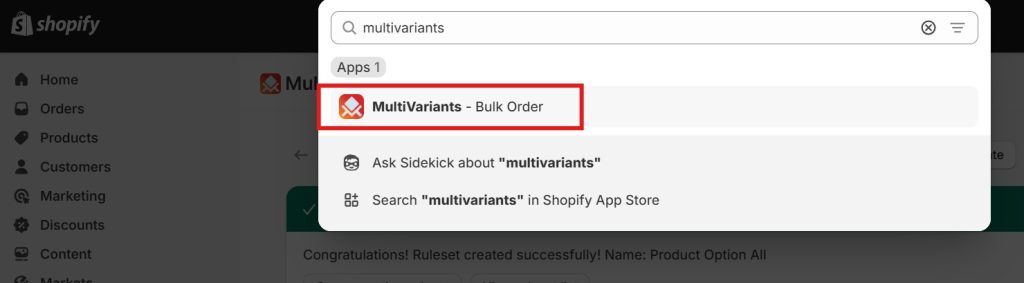
- Open the MultiVariants app from the Shopify admin.
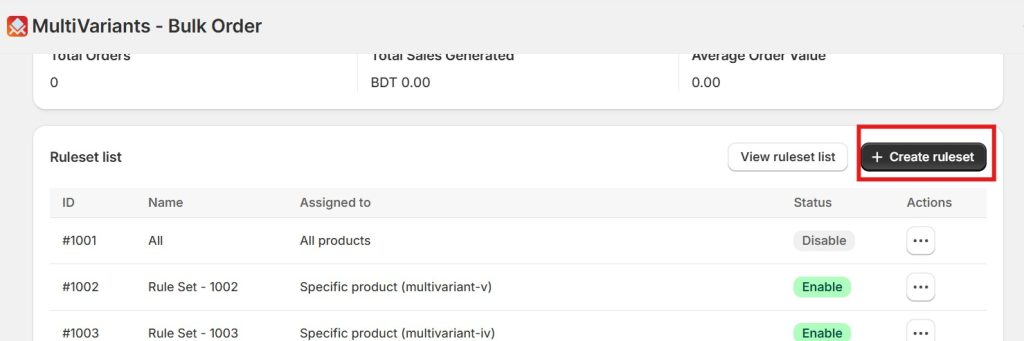
- Go to the Create ruleset where the feature is available.
- Find the Product options section.
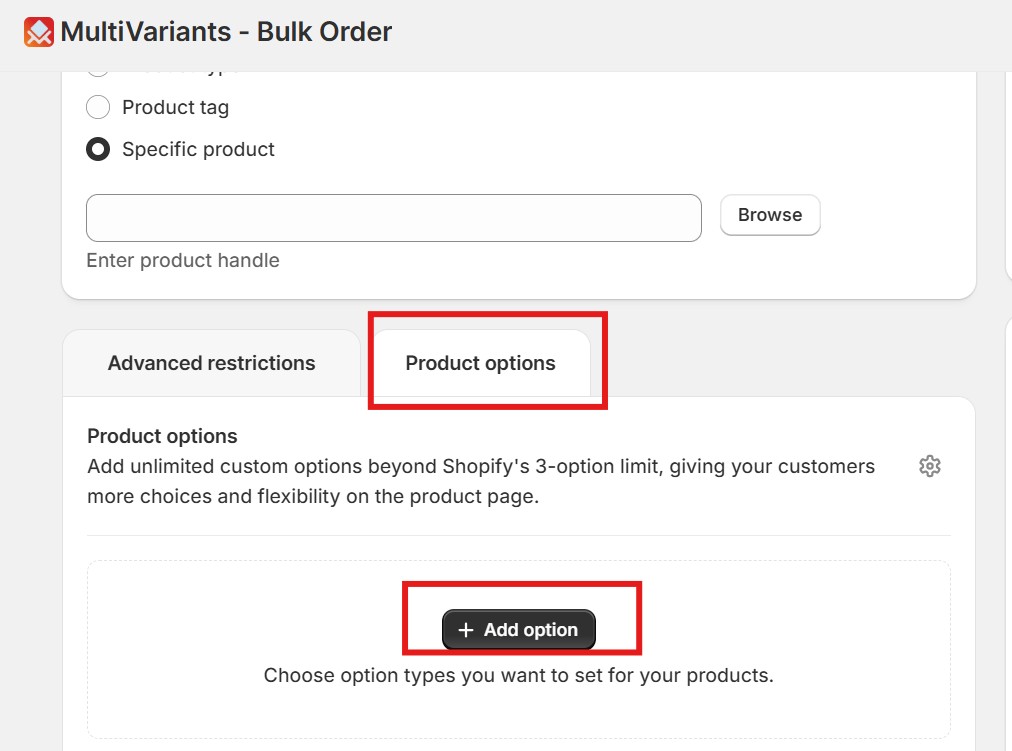
- Click Add option.
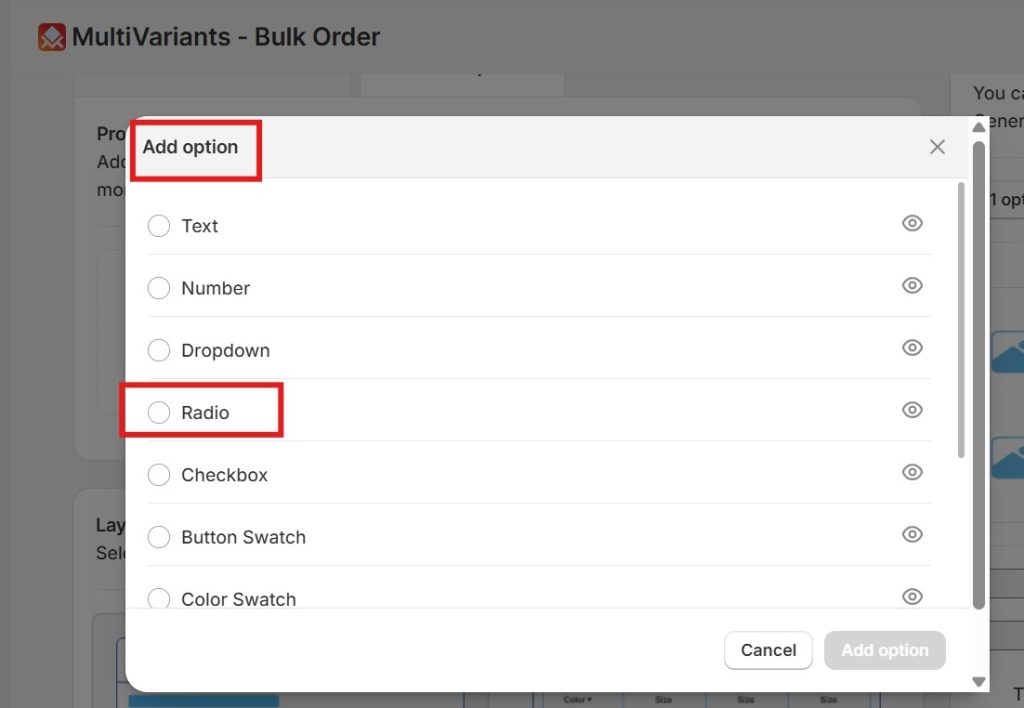
5. Choose the option type you want to add, suppose you want the Radio option.
- Configure the option title, values, and required settings.
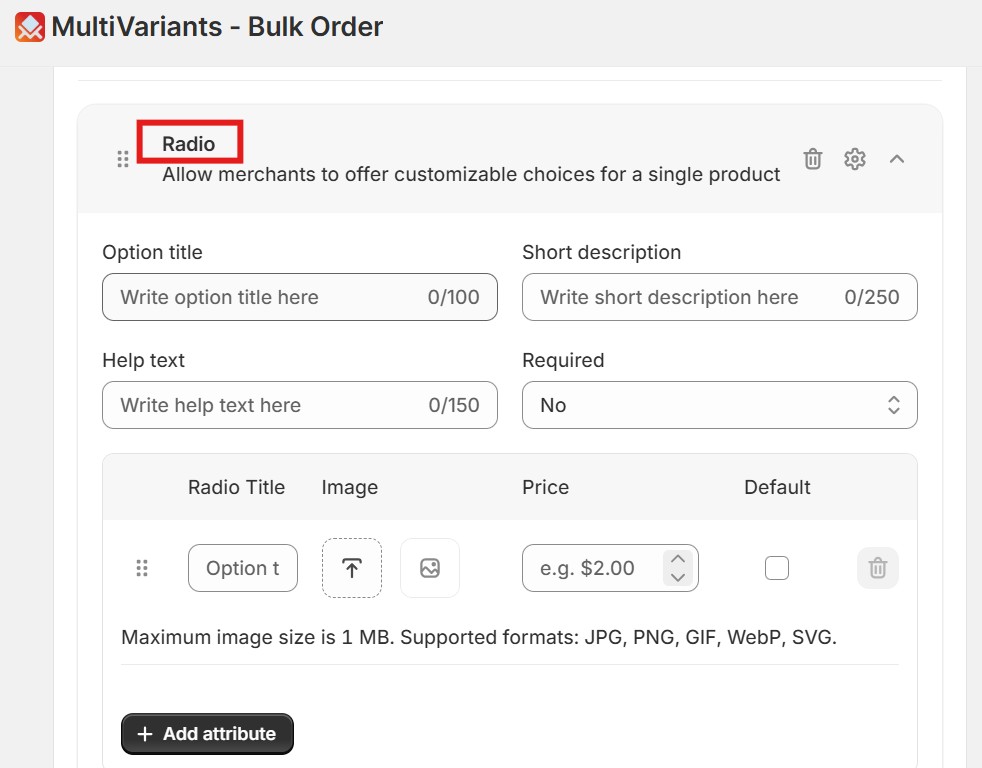
- Save the setup.
8. Preview the product page and test the option selection.
Once enabled, customers will see the custom options on the product page.
They can select, enter, upload, or choose the required details before adding the product to the cart.
Why Better Product Options Improve Customer Experience
Customers want clear choices.
They do not want to guess.
They do not want to contact the store for every small customization.
They want to select the product they need and place the order smoothly.
That is why Shopify product options matter.
When product options are clear, customers feel more confident. They can choose the right product version, add custom details, and understand what they are buying.
For merchants, this can help with:
- Fewer missing order details
- Fewer back-and-forth questions
- A clearer product page experience
- A smoother purchase flow
- Better personalization options
- More flexibility for complex products
Conclusion
Shopify’s native product option system works well for simple products. But many merchants need more than three options to sell custom, personalized, B2B, or complex products. MultiVariants Product Options helps solve this problem. It allows Shopify merchants to add unlimited custom options beyond Shopify’s 3-option limit.
Merchants can use text fields, number fields, dropdowns, radio buttons, checkboxes, button swatches, color swatches, image swatches, file attachments, and date/time fields to create a better product selection experience. It helps merchants go beyond Shopify’s default limits and gives customers the freedom to choose exactly what they need.
So, are you ready to try out this new feature? Check out MultiVariants in the App Store.
FAQs
What are Shopify product options?
Shopify product options are the choices customers select before buying a product. Common examples include size, color, fabric, style, or material. For custom products, options can also include text fields, file uploads, dates, swatches, and special instructions.
How many product options does Shopify allow by default?
Shopify allows each product to have up to three product options by default. For example, a product can have size, color, and material. If merchants need more than three options, they usually need an app or a custom solution.
How can I add more than 3 options on Shopify?
Merchants can add more than 3 options on Shopify by using a Shopify product options app like MultiVariants. MultiVariants Product Options allows merchants to add unlimited custom options beyond Shopify’s default 3-option limit.
Can MultiVariants add options beyond Shopify’s 3-option limit?
Yes. MultiVariants Product Options helps merchants add custom options beyond Shopify’s native 3-option limit. This helps merchants offer more choices and collect more customer details before checkout.
What option types does MultiVariants Product Options support?
MultiVariants supports multiple option types, including text, number, dropdown, radio, checkbox, button swatch, color swatch, image swatch, file attachment, and date/time fields.
Can I add color swatches and image swatches in Shopify using MultiVariants?
Yes. MultiVariants supports both color swatch options and image swatch options. This helps merchants show visual choices on the product page and makes product selection easier for customers.
Can customers upload files through Shopify product options?
Yes. With the file attachment option in MultiVariants, customers can upload files while selecting product options. This is useful for print products, custom gifts, logos, artwork, and personalized items.
What is the difference between Shopify variants and product options?
Shopify variants are final product combinations based on selected options. Product options are the choices customers select, such as size, color, text, file upload, or date. Variants usually affect inventory and product combinations, while custom product options can collect extra details without creating too many variant combinations.
Is MultiVariants only for bulk order products?
No. MultiVariants is well known for bulk ordering, but the Product Options feature also helps merchants who sell custom, personalized, made-to-order, B2B, or complex products.
Do I need coding to use MultiVariants Product Options?
No coding is required for the standard setup. Merchants can enable Product Options from the MultiVariants admin, add the required option types, configure them, and show them on the product page. Some theme-specific display adjustments may still need support if the store uses a highly customized theme.