Shopify allows only three options per product (like Size, Color, Material). MultiVariants’ Product Options breaks that limit, letting you add unlimited custom fields — text inputs, swatches, file uploads, date pickers, and more — to any product, with optional add-on pricing.
To set up Product Options, follow these steps:
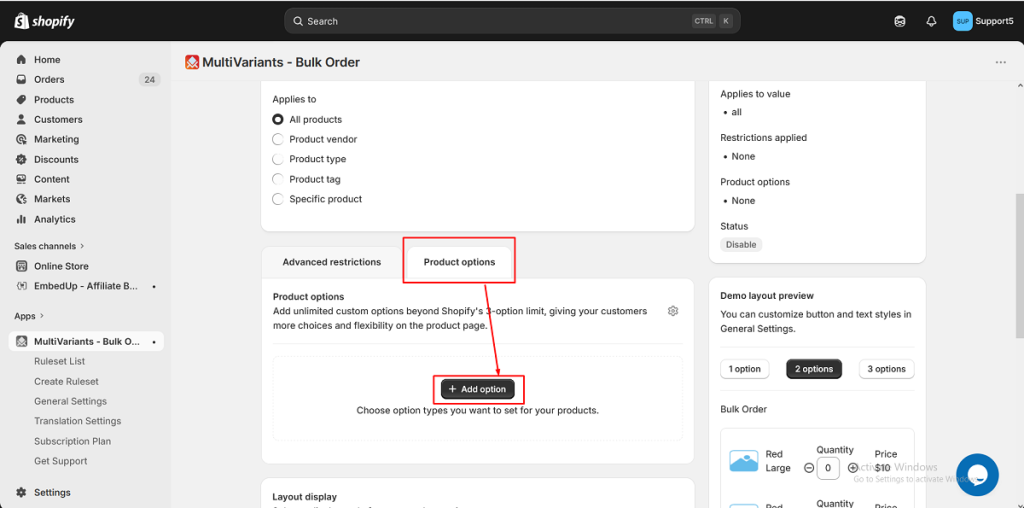
>> Go to the MultiVariants dashboard, open an existing ruleset (or create a new one), and click on the Product Options tab at the bottom. Then click “+ Add option“,
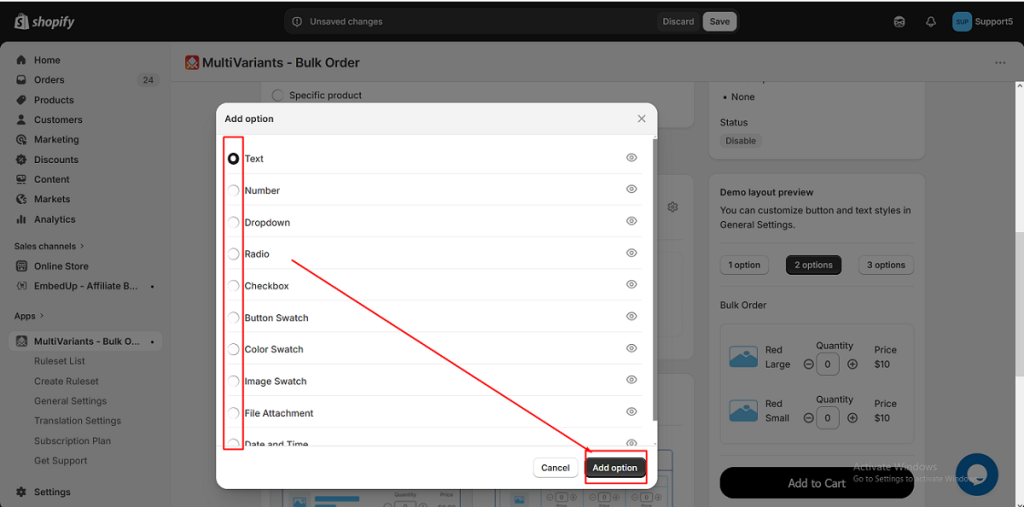
>> Select the required option type and click Add option.
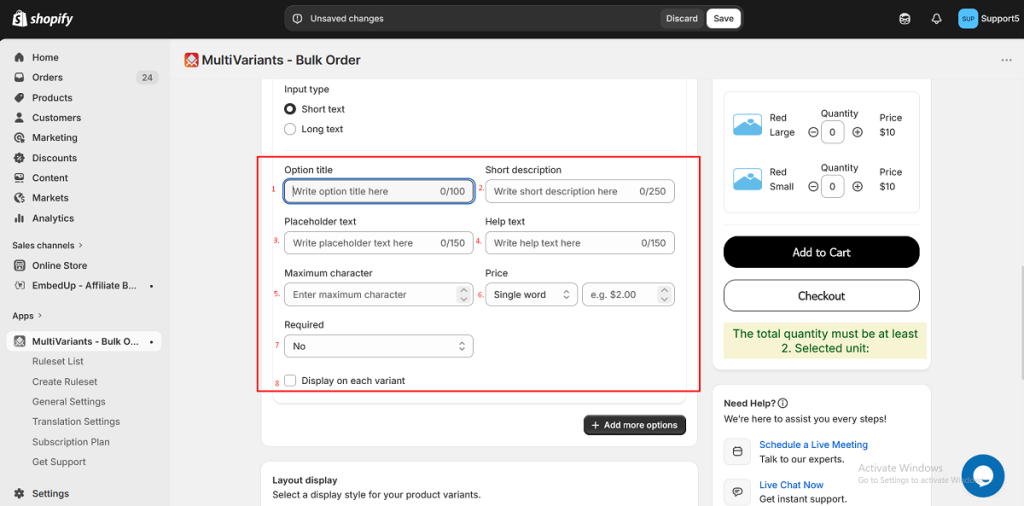
>> Fill in the basic fields:
- Option title — the label shown to your customers (max 100 characters).
- Short description — optional one-liner for context.
- Help text — optional helper line shown below the input on the storefront.
- Required — set to Yes to block Add to Cart until the customer fills this in.
- Display on each variant — when checked, the option appears under each variant row in the bulk-order table. When unchecked, it appears once, shared across all variants.
Each option type also has its own specific fields — see the dedicated article for the type you are using.
>> Click Save in the top save bar.
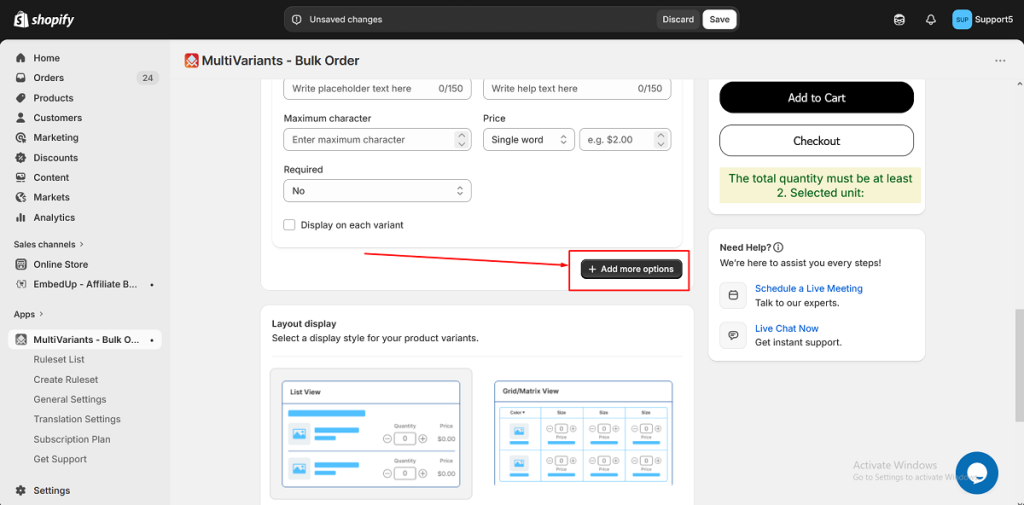
Your Product Options are now live on every product the ruleset applies to. You can also add more options by clicking the + Add more options button, and adjust the design and placement of the options by following the steps below.
>> To add another option, click + Add more options at the bottom.
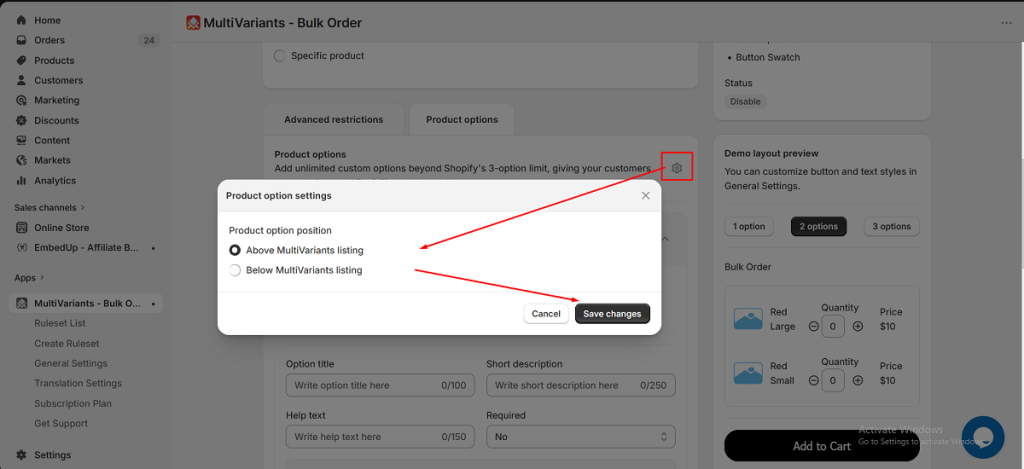
>> To choose where Product Options appear on the product page, click the small gear icon at the top of the Product Options tab, select Above or Below MultiVariants listing, and click Save changes.
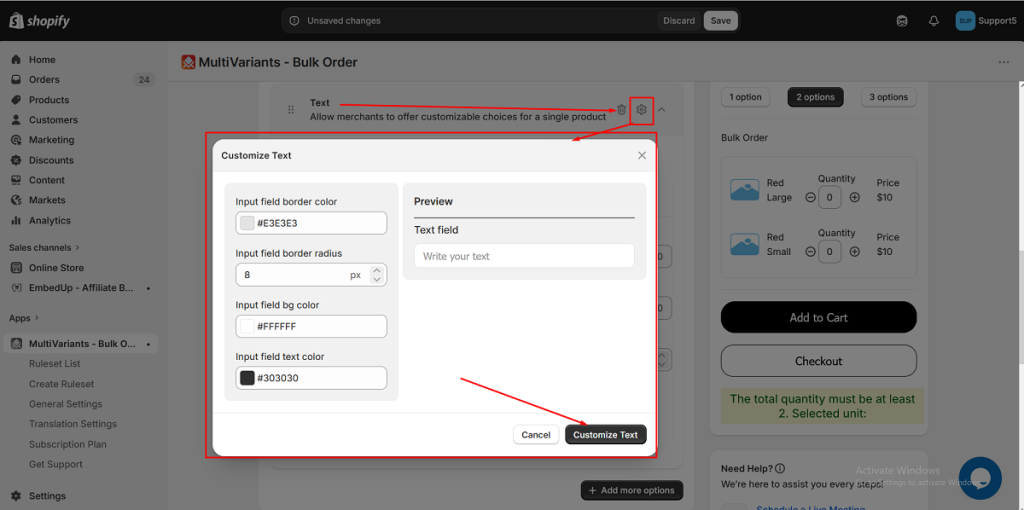
>> To restyle the option, click the gear icon at the top right of the option card and adjust border colors, background, text color, border radius, and (for swatches) sizes. Click Customize to apply.
Need Help? #
Still, if you face any further issues or need help, feel free to contact us. Our support team will be happy to help you.
You can always reach us via
- 💬 Live Chat: in MultiVariants app
- 📧 Email: support@multivariants.com
- 📅 Live Meeting: https://calendly.com/efolisupport
Good luck, and happy selling with MultiVariants! 🚀


