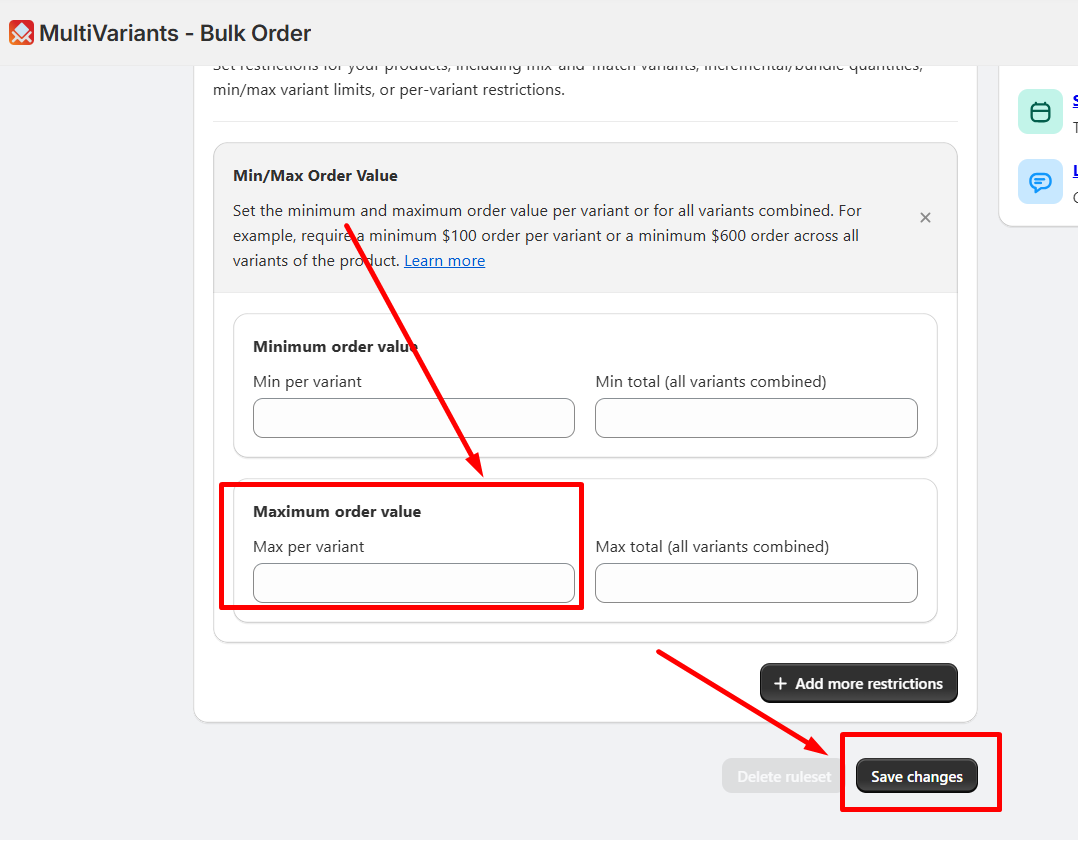
Suppose you have shirts with 2 variants, where one is red in small sized, and another is blue in medium sized. Setting $50 as max per variant value means customers can’t choose more than a $50 valued shirt of that specific variant. In this case, they can’t choose more than $50 valued red shirts in small-sized, or $50 valued blue shirts in medium-sized.
To set this restriction, follow these steps:
>> Go to the MultiVariants dashboard and click on the existing ruleset or create a new ruleset.
>> fill up the necessary fields and scroll down.
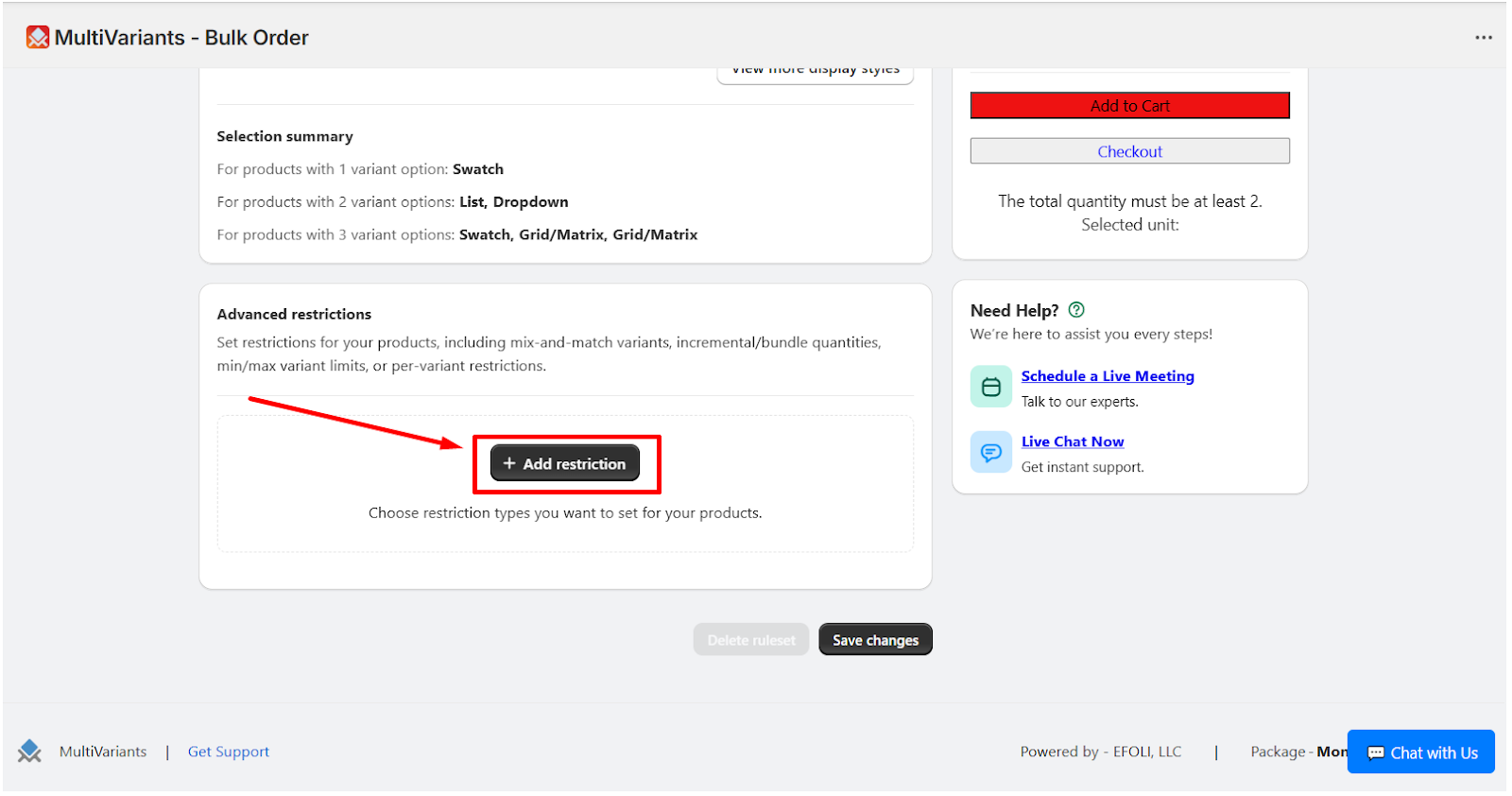
>> Click on “Add Restrictions”.
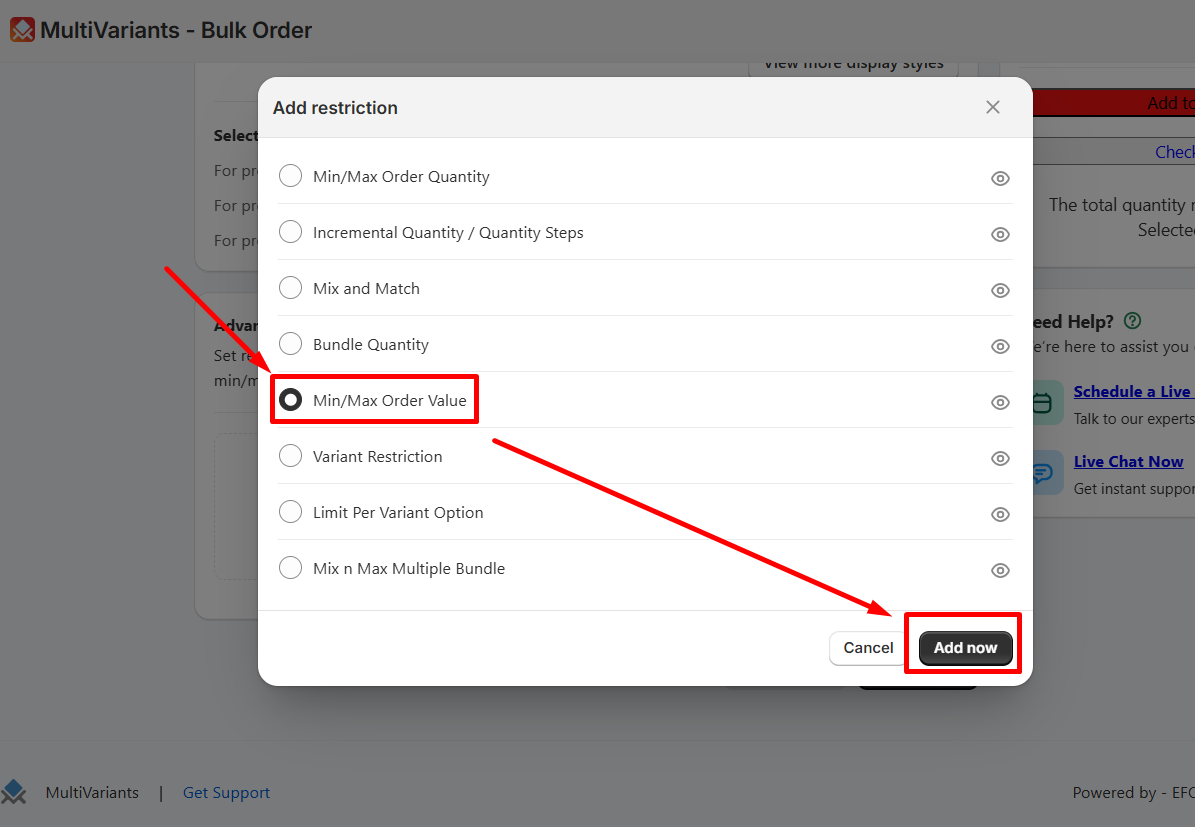
>> Select “Min/Max Order Value” and then click “Add now”.
>> On the “max per variant” field, insert your preferable order value and click “save changes”.