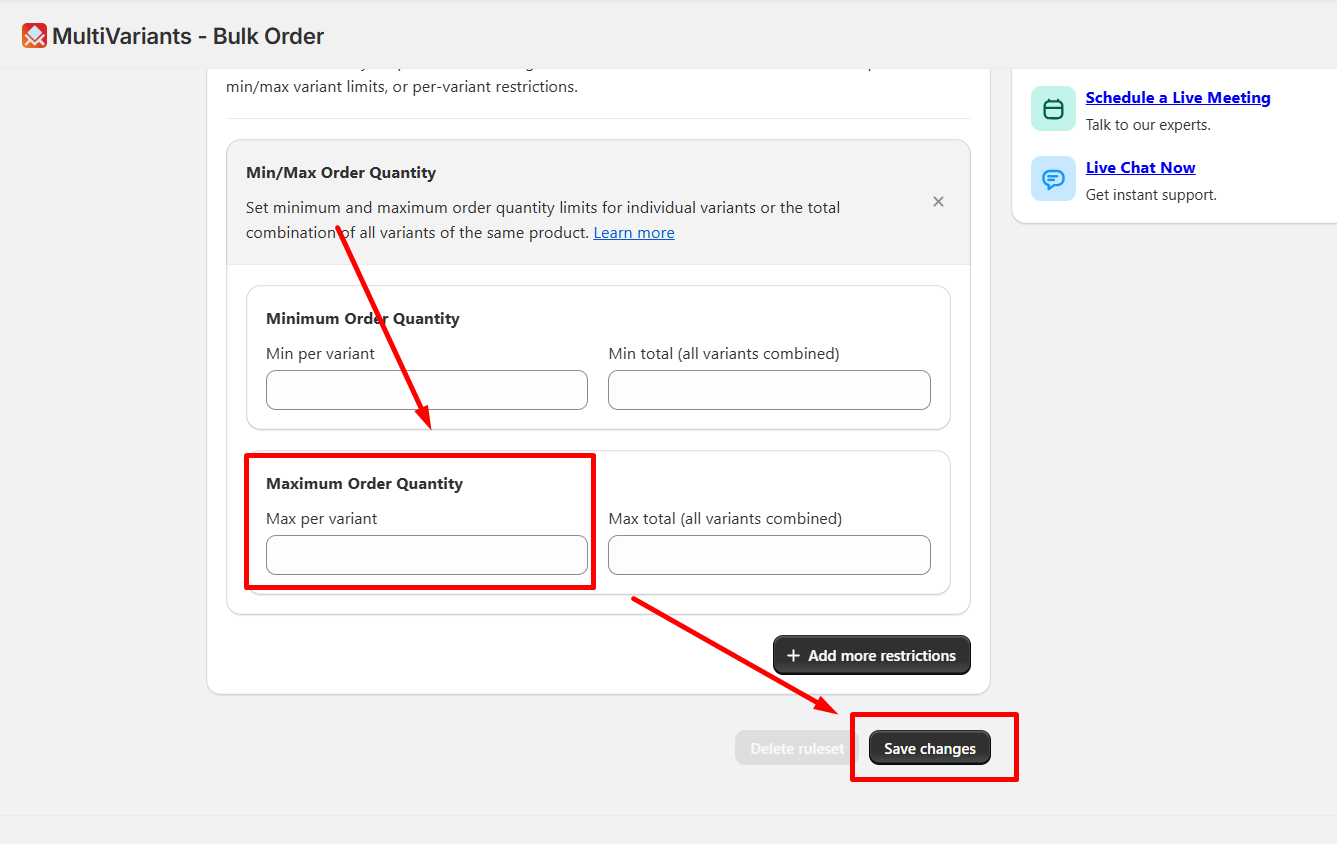
Let’s say, you want to limit how many of each variant customers can buy. For example, enter 6 in the “Max Per Variant” field. This means they can buy up to 6 of any variant, but no more.
If they choose another variant, it will also have the same limit. No matter which variant they pick, they can’t buy more than 6 of it.
You can apply this type of restriction from this feature.
To set maximum order quantity per variant, follow these steps:
>> Go to the MultiVariants dashboard and click on the existing ruleset or create a new ruleset.
>> fill up the necessary fields and scroll down.
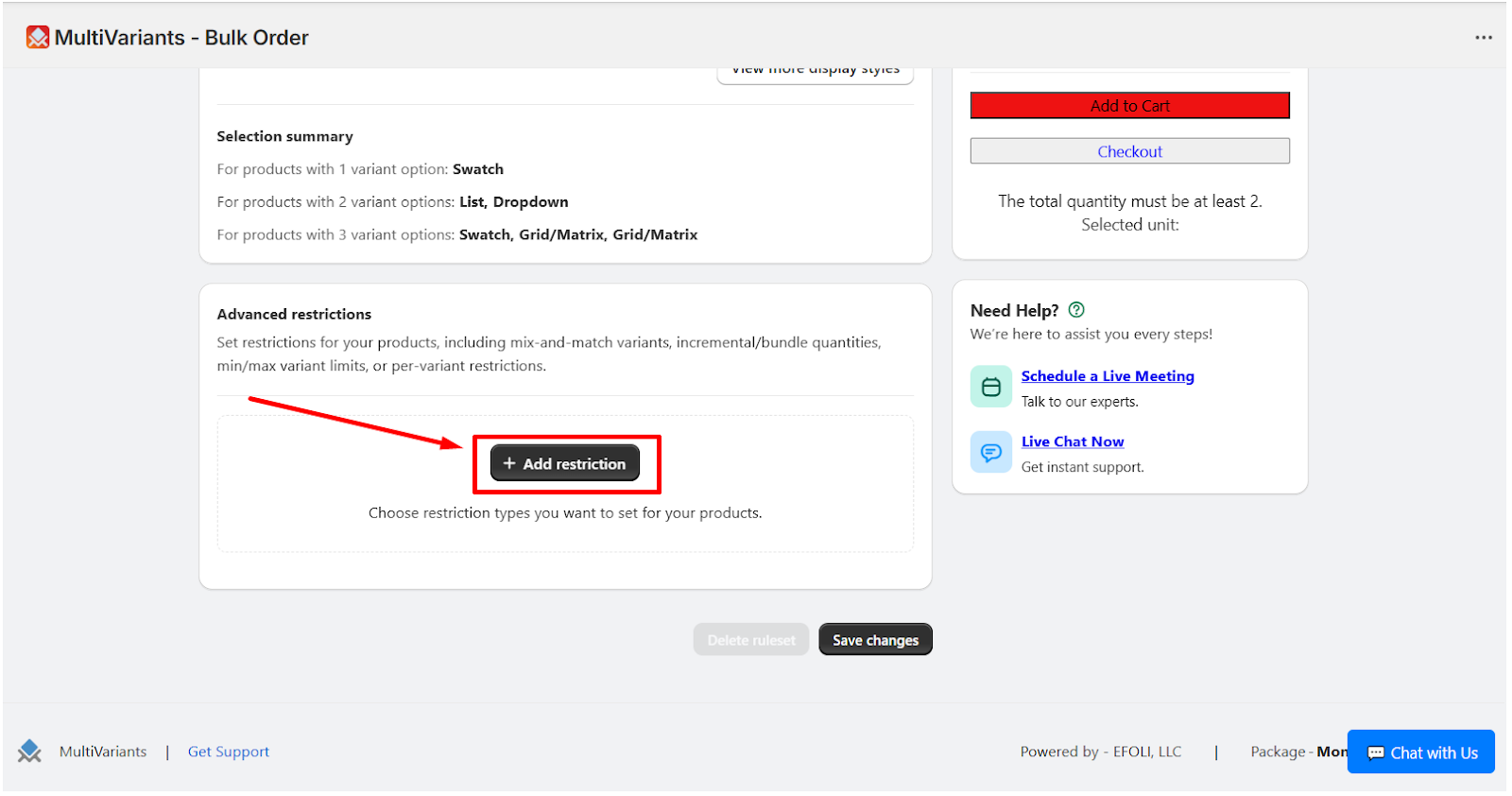
>> Click on “Add Restrictions”.
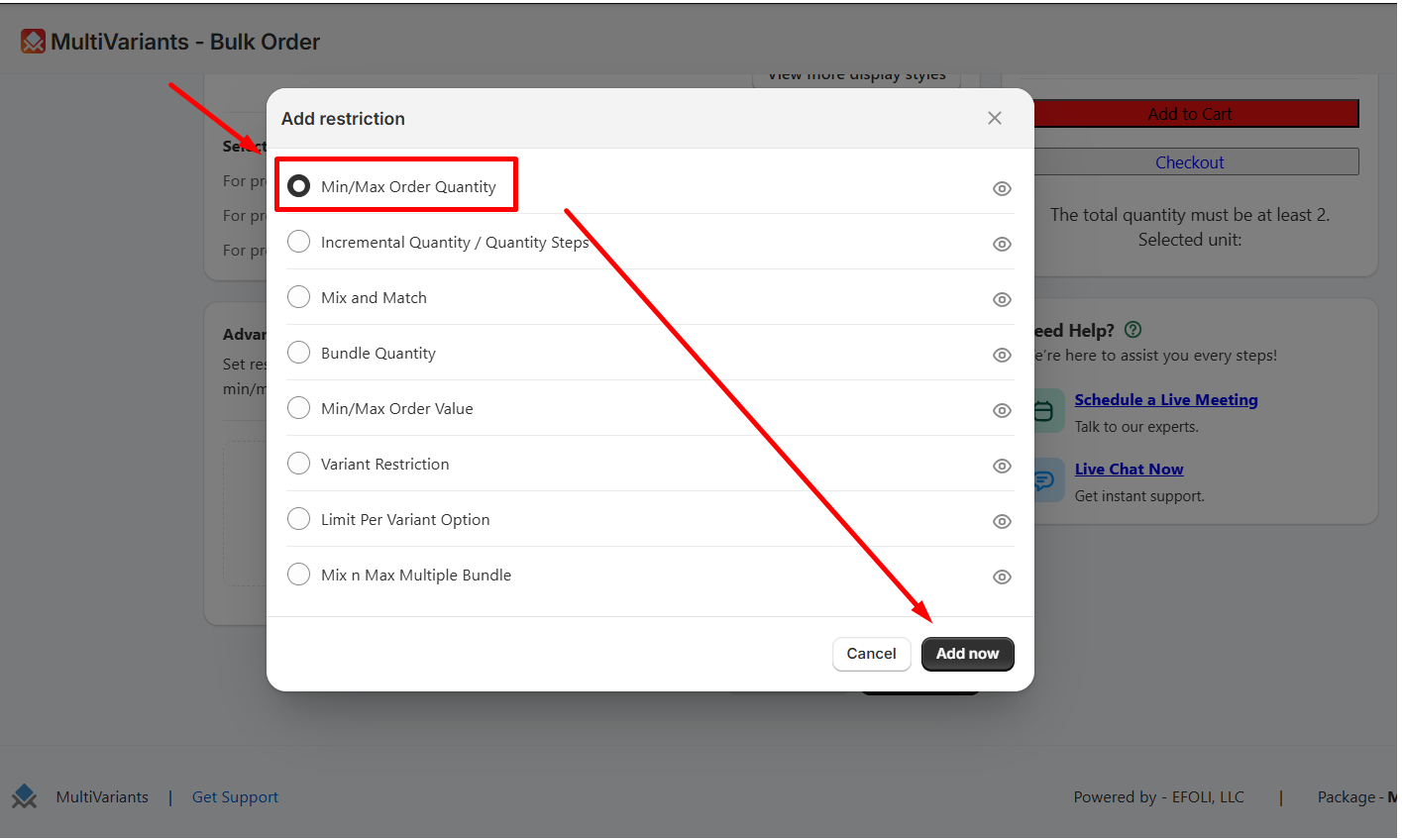
>> Select min/max order quantity, and click on “Add now”.
>> Then on the “max per variant” field, insert your preferable number and click on “save changes”.