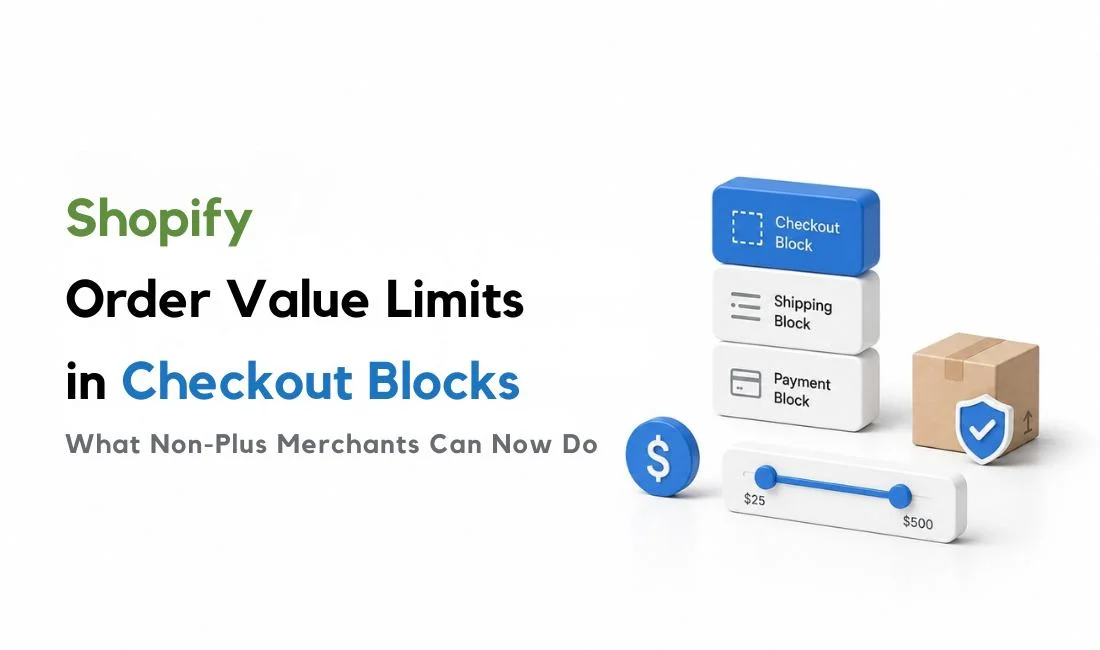
Shopify order value limits just became available to every merchant, not just Shopify Plus stores. It is part of the Shopify Spring 2026 update. If you're on Basic, Grow, or Advanced, you can now set a minimum or maximum cart subtotal that blocks checkout, all without writing a line of code. That's genuinely useful for stores managing wholesale minimums, fraud risk, or unprofitable small orders. But here's the part that trips people up: order value limits are based on dollars, not units. If you were hoping this update finally gives you per-product quantity control, it doesn't, and understanding that distinction early will save you a setup headache later.
TL;DR
Shopify order value limits, once available only on Plus, are now open to Basic, Grow, and Advanced plans through the Checkout Blocks app.
Order value limits block checkout based on cart subtotal. They set a dollar minimum, a dollar maximum, or both.
They are not quantity limits. Shopify's order value limits have nothing to do with how many units of a product someone buys.
Checkout Blocks order value limits are scoped broadly: store-wide, or only to B2B companies. There's no product-level or collection-level scoping inside this specific feature.
If your store needs per-product or per-variant quantity control, that's a separate need, and one Shopify's order value limits don't cover on their own.
What Are Shopify Order Value Limits in Checkout Blocks?
Shopify order value limits let you block checkout for any order whose subtotal falls outside a minimum or maximum you set. Say you run a wholesale supply store and don't want orders under $500, since anything smaller doesn't justify the packing and shipping cost. You can set that $500 floor, and any customer trying to check out below it gets stopped before they can pay.
A few details from Shopify's own documentation matter here. The limit is calculated on the order subtotal before any gift cards or store credit get applied, so a customer can technically still pay less than your stated minimum once those are factored in. The limits also apply across every payment method, including Shop Pay and accelerated checkouts, so there's no payment-method loophole. And if you sell internationally, Shopify automatically converts your limit into each customer's local currency, so a $500 minimum shows up as the right amount no matter where the shopper is.
You can also choose who the rule applies to. Shopify lets you scope order value limits to all customers or only B2B companies, which is handy if your retail customers and wholesale buyers have very different spending patterns and you only want the floor to apply to one group.
What Changed for Shopify Basic, Grow, and Advanced Merchants?
Here's the actual news. Order value limits in Checkout Blocks used to be a Shopify Plus-only feature. As of April 2026, Shopify expanded order value limits to Basic, Grow, and Advanced plans as well, following a broader push to bring more B2B and checkout features to merchants outside Plus.
This matters because plenty of growing stores have wanted this kind of subtotal control for a long time and either paid for a third-party app or just lived without it. Now it's available through Shopify's own Checkout Blocks app, without needing a Shopify Plus upgrade.
How to Set a Shopify Minimum or Maximum Order Value in Checkout Blocks
Setting this up takes a few minutes. Here's the path:
From your Shopify admin, go to Apps, then open Checkout Blocks. If you haven't installed it yet, search for it in the Shopify App Store first.
Click Functions, then click Create function.
In the Validation section, select Order limit validation.
Under Assign to, choose whether the rule applies to all customers or only to B2B companies.
In Set order limits, enter your minimum and maximum subtotal.
Click Save, then activate the function from the configuration page or the Functions list, since new rules save as a draft by default.
One thing worth knowing going in: Checkout Blocks order value limits are scoped broadly. You can apply them to all customers or only to B2B companies, but Shopify's documented setup doesn't offer product-level or collection-level order value limits inside this feature.
Order Value Limits vs Quantity Limits: What's Actually Different
This is the part most explanations of the update skip over, and it's the part that matters most if you're trying to solve a quantity problem.
Order value limits work in dollars. They look at the total subtotal of the cart and either let the order through or stop it. They don't know or care what's actually in the cart, just what it adds up to.
Quantity limits work in units. A quantity limit says something like "customers must buy at least 12 of this product" or "no more than 2 per customer," and it applies to specific products or variants, not the cart total.
Picture two different stores. A wholesale electronics supplier sets a $500 order value limit so no one checks out with a tiny, unprofitable order. That's a value limit doing its job well. Now picture a fabric store that only sells one specific print in bundles of 5 yards. An order value limit can't enforce that, since a customer could hit $500 in cart value with 2 yards of that fabric and a stack of other items. What that fabric store actually needs is a quantity rule tied to that one product, which is a completely different mechanism solving a completely different problem.
Shopify does have native B2B quantity rules inside catalogs, and those can set minimum, maximum, and increment rules tied to product variants. Shopify also has a separate, general add-to-cart limit under checkout settings, which caps how many of a single product a customer can add to their cart. But that setting applies maximum-only, treats each variant independently rather than the product as a whole, and doesn't apply once a B2B catalog with its own quantity rules is in play. Neither option covers more advanced per-product, per-variant, mix-and-match, or combined quantity-rule use cases. If you're curious how Shopify's native quantity options compare against an app like MultiVariants, that's worth its own read, since it's a different comparison than the one we're making here.
Where Shopify Checkout Blocks Order Limits Fall Short
The broad scope is the biggest practical limitation. Checkout Blocks order value limits can apply to all customers or only to B2B companies, but Shopify's documented setup does not offer product-level or collection-level order value limits inside this feature. So if you need different minimums for different product categories, product types, or variant groups, this native setup will not cover that on its own.
It's also worth being honest about what a free shipping threshold does versus a hard order value limit, since merchants sometimes reach for the wrong tool. Free shipping thresholds are designed to encourage larger carts by nudging behavior, not blocking checkout. An order value limit is stricter: it blocks checkout entirely when the subtotal falls outside your set range, which is a much firmer tool and not always the right one for every situation.
And if your actual problem is unit-based rather than dollar-based, like a minimum case size on one product, a per-variant cap during a limited drop, or letting customers mix and match across multiple variants to hit a single bulk minimum, an app built specifically for that, like MultiVariants, fills that gap without forcing the rest of your store into a single blanket dollar rule.
Shopify Order Value Limits: The Bottom Line
Shopify order value limits are a genuinely useful, genuinely free addition for non-Plus stores that need to set a dollar floor or ceiling on checkout, and the expansion to Basic, Grow, and Advanced plans removes a real cost barrier that used to push merchants toward third-party apps for something this simple. Use them when your problem is about total spend: protecting margin on small orders, capping bulk promotional buys, or setting a clean wholesale minimum. Reach for a quantity-based solution, whether that's Shopify's native B2B quantity rules or an app like MultiVariants, when your problem is actually about units on a specific product, not dollars in the cart.
FAQ
Does Shopify have order value limits on all plans now?
Yes. As of April 2026, order value limits in Checkout Blocks are available on Basic, Grow, Advanced, and Plus plans. Previously, this feature was restricted to Shopify Plus.
What's the difference between order value limits and quantity limits?
Order value limits restrict checkout based on the dollar subtotal of the cart. Quantity limits restrict how many units of a specific product or variant a customer can buy. They solve different problems and aren't interchangeable.
Can I set different order value limits for different products?
No. Shopify's documented Checkout Blocks order value limit setup lets you apply the rule to all customers or only to B2B companies, but it does not offer product-level or collection-level scoping inside this feature.
Do order value limits work for B2B customers only?
You can choose. When setting up the rule, you select whether it applies to all customers or only to B2B companies, depending on what your store needs.
Can I set a minimum order amount on Shopify without Plus?
Yes. Order value limits in Checkout Blocks now work on Basic, Grow, and Advanced plans, not just Plus. You can set a minimum, a maximum, or both, directly from the Checkout Blocks app at no extra cost.
Will order value limits stop customers from buying too much of one product?
No. Order value limits only look at the total cart subtotal. To cap how much of one product a customer can buy, you need a quantity limit instead, either through Shopify's native B2B quantity rules or a dedicated app.